Creative Tools · ICUNI Labs
GlyphSift
Making invisible text features visible, with room to review a change before applying it.
The build story 6 minute read

GlyphSift: Find What Is Breaking Your Text Before You Change It
At a glance
- Purpose
- Making invisible text features visible, with room to review a change before applying it.
- The build
- Exact Unicode findings are separated from English-heavy heuristic style observations and a limited watermark-lab profile. Cleanup is reviewable and reversible, with same-profile retesting; it is not a universal authorship detector.
In this story
By Menelek Makonnen · ICUNI Labs
GlyphSift helps editors, developers and researchers find hidden characters that make text behave differently from how it looks, then review and reverse the changes they choose. Paste a passage, inspect a finding at its exact position, prepare a cleanup plan and compare the derived copy with the original.
It is for the maddening moment when two strings look identical but refuse to match, or a copied paragraph carries invisible passengers into the next system. I have enough visible errors to manage without offering free accommodation to invisible ones.
I built GlyphSift to replace “something is wrong with this text” with an answer a person can use: this code point, at this position, with this proposed handling. It also protects legitimate joining controls and selectors. Removing everything I cannot see would be a spectacularly provincial definition of clean writing.
The workbench can report style observations and a specific keyed laboratory profile separately. Those are different kinds of evidence. None turns a strange space, a dull sentence or a laboratory result into proof that a person did or did not write the passage.
Bring the text into the light
The Workbench puts the source beside a finding rail and a positional trace. Paste a passage, analyze it, then select a finding to inspect the relevant text range. The interface reports character and byte measures, code points, offsets and the proposed handling of each finding.
That is useful for an editor preparing a document for another system, a developer checking imported text or a researcher who needs to explain why a string behaves differently from how it looks. Instead of saying “something odd happened here”, I can point to the actual character and its position.
The scanner also considers context. Emoji joiners and selectors, script-specific joining controls and other load-bearing characters can be legitimate parts of the text. A cleanup tool that removes everything it cannot see can be remarkably efficient at damaging writing it does not understand.
I therefore built preservation into the analysis. The question is what the character does here, rather than whether it looks suspicious to an English keyboard.
Three observations, three different claims
When I inspect a passage, I need to know whether I am seeing an exact character, an observation about style or a result from a particular laboratory configuration. GlyphSift keeps those lanes separate so I can make the right decision for the finding, rather than reacting to one alarming badge.
The style lane measures features such as sentence-length variation, vocabulary variation and formulaic phrase density on sufficiently long samples. It is an English-heavy review aid. It does not turn cadence into an authorship probability. A sentence can be dull entirely through human effort; we have centuries of committee minutes to defend that achievement.
The keyed lane runs a matching local lab profile with its defined tokenizer, key and configuration. That demonstrates a specific detection mechanism. It does not supply unknown provider keys or establish coverage of every text generator.
Availability and insufficient evidence remain visible. Results belong to the method that produced them, and the aggregate can remain inconclusive. I consider that a feature. A detector earns trust by making the boundary of its claim legible, including when that boundary is “I cannot tell”.
Plan first, change second
Inspection does not overwrite the source. I select the findings to address, choose a policy and create a plan. The plan binds the source digest, analysis, policy and operations, checking ranges and rejecting overlaps or stale text.
Apply is a separate step. It checks that the source still matches, changes the selected ranges and creates a derived output. The original remains separate, and an inverse plan preserves a route back.
For a document handoff, that makes the workflow reviewable: inspect the odd spacing, decide which changes are appropriate, apply the selected plan and compare the output. If the source changes between analysis and application, the old plan cannot simply march through the new passage wearing yesterday's coordinates.
The tool then runs the same profiles again. Verification reports what happened to the targets under those methods: suppressed, retained, inconclusive, unsupported or failed. It can also expose new findings. That is a much more useful answer than a celebratory animation claiming the text is now universally purified. Text cleaning should not need a theological department.
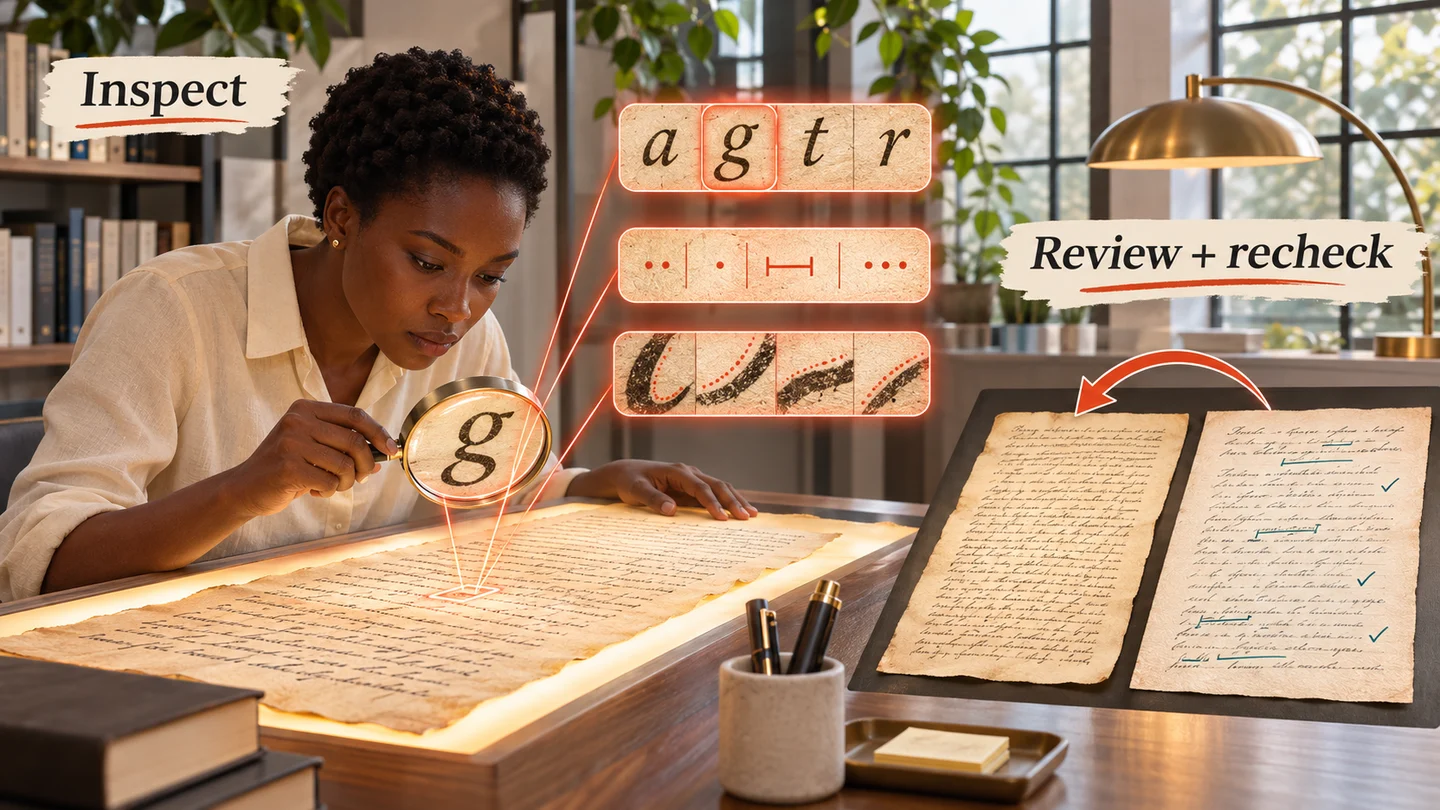
Workbench: inspect the character evidence, approve a plan, recheck the derived output and retain reversal.
Select a passage, keep the scope
The optional Windows Chrome link brings a smaller inspection workflow to selected text. A deliberate button or context-menu gesture captures the selected passage and sends it through a paired local native helper. It is a selection tool with an explicit connection, rather than a page crawler quietly taking an interest in everything nearby.
Pairing and origin checks define the bridge. When that connection is unavailable, the extension can fall back to a small local exact-marker table and abstain from the statistical lanes. The desktop and browser surfaces therefore disclose different capabilities.
The popup provides inspection, pairing and revocation. That is the browser workflow I describe. Its existence does not turn desktop cleanup into a browser action that the interface has never offered.
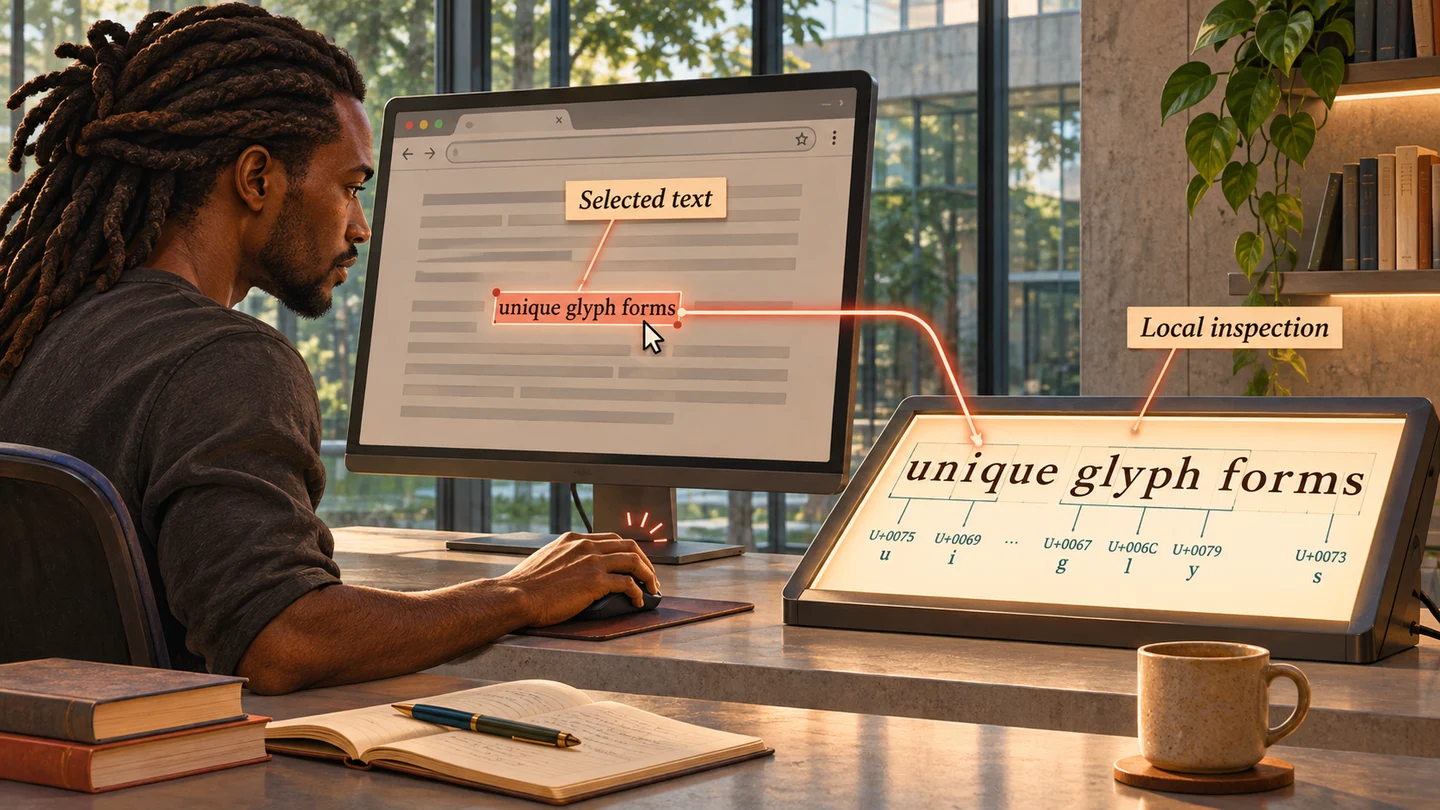
Chrome selection: inspect one chosen passage through the local link. the desktop Workbench owns the reviewed cleanup workflow.
Make the receipt useful without copying the document
GlyphSift uses React and TypeScript for the workbench, Electron for the desktop boundary and a shared core for analysis, cleanup and verification. The optional Manifest V3 extension connects through a bounded native-messaging helper.
If I need to explain a cleanup to someone else, I can export the methods, digests, affected ranges, code points and plan status without including the source body. The handoff can describe what changed without needlessly reproducing the document. That is useful for editorial checks and technical investigations where the passage itself should stay out of the report.
The most valuable lesson from this build is that uncertainty belongs in the data model. A method can be unavailable. A sample can be too short. A recheck can be partial. When those states have proper names, the interface can explain them clearly instead of improvising confidence.
A useful answer to an invisible problem
GlyphSift gives me a practical sequence: locate the character, understand its context, choose the change and inspect the result. The original remains separate, and the cleanup has a route back.
Building it made me more careful about the difference between a precise observation and an ambitious conclusion. The best tool here is one that helps a person decide, including when the available method cannot tell them enough.
An invisible character can still cause trouble. At least I can stop blaming my eyesight and start with its address.
Back to the story’s beginning ↑
Project details
A local text-forensics workbench reports Unicode findings and limited heuristic style observations, with reversible cleanup and same-profile retesting. Detection scope remains explicit.
Design and technical decisions
Exact Unicode findings are separated from English-heavy heuristic style observations and a limited watermark-lab profile. Cleanup is reviewable and reversible, with same-profile retesting; it is not a universal authorship detector.
Inside the workflow
A local text-forensics workbench reports Unicode findings and limited heuristic style observations, with reversible cleanup and same-profile retesting. Detection scope remains explicit.
Have something in mind?
Bring the problem, the audience and what you want to make possible.
Discuss your project