
Experiments · ICUNI Labs
Gramer
Turning an Instagram archive into a searchable local media workspace.
The build story 6 minute read

Gramer: Keep an Instagram Archive You Can Browse and Understand
At a glance
- Purpose
- Turning an Instagram archive into a searchable local media workspace.
- The build
- A desktop Instagram archive and media library with explicit access modes, a persistent capture queue, resumable indexing and collision-aware file publication.
In this story
By Menelek Makonnen · ICUNI Labs
A desktop archive and local media library with explicit collection choices, recoverable jobs and two ways to browse the same work.
Gramer helps you collect permitted Instagram media into a local archive and browse the pictures and videos afterwards. Choose which accounts and media to collect, follow the job’s progress, then explore the result without rebuilding the collection every time you change views.
A folder full of downloaded media can look complete right up until somebody asks which posts it contains. Suddenly “I saved everything” becomes a philosophical position rather than an inventory.
I built Gramer around a more deliberate archive. Choose the account and collection scope, record the job, preserve completed files and make the local result searchable. The application brings that pipeline into a desktop workspace, with the original Classic interface and an optional Modern archive view sharing the same catalogue and queue.
For a creator archiving their own work or somebody collecting material they are entitled to retain, the benefit is a collection they can return to and understand. What arrived? What stopped? Which job needs attention? I want the library to answer those questions without requiring a small archaeological expedition through download folders.
Browse the archive in the way that suits the task
Classic remains the starting interface. Home, Feed, Sync, Reels, Lightbox, Dashboard and Settings provide a feed-oriented route through the local collection. A creator can inspect a still, move into a reel and return to the surrounding media without treating each view as a different archive.
Its dark glass treatment keeps picture and video prominent, with restrained status colours and a resizable sidebar. The controls support the work around the media rather than competing with it for a starring role.
I preserved that interface while introducing a different way into the same records. Switching workspaces remembers the choice and retains visited views, while the hidden workspace becomes inactive and its media pauses. Two interfaces should not quietly become two soundtracks arguing in the background.
That continuity matters in a migration. An established workflow can remain useful while a newer one develops around different organising questions. The owner gets a choice without needing a duplicate collection to support it.
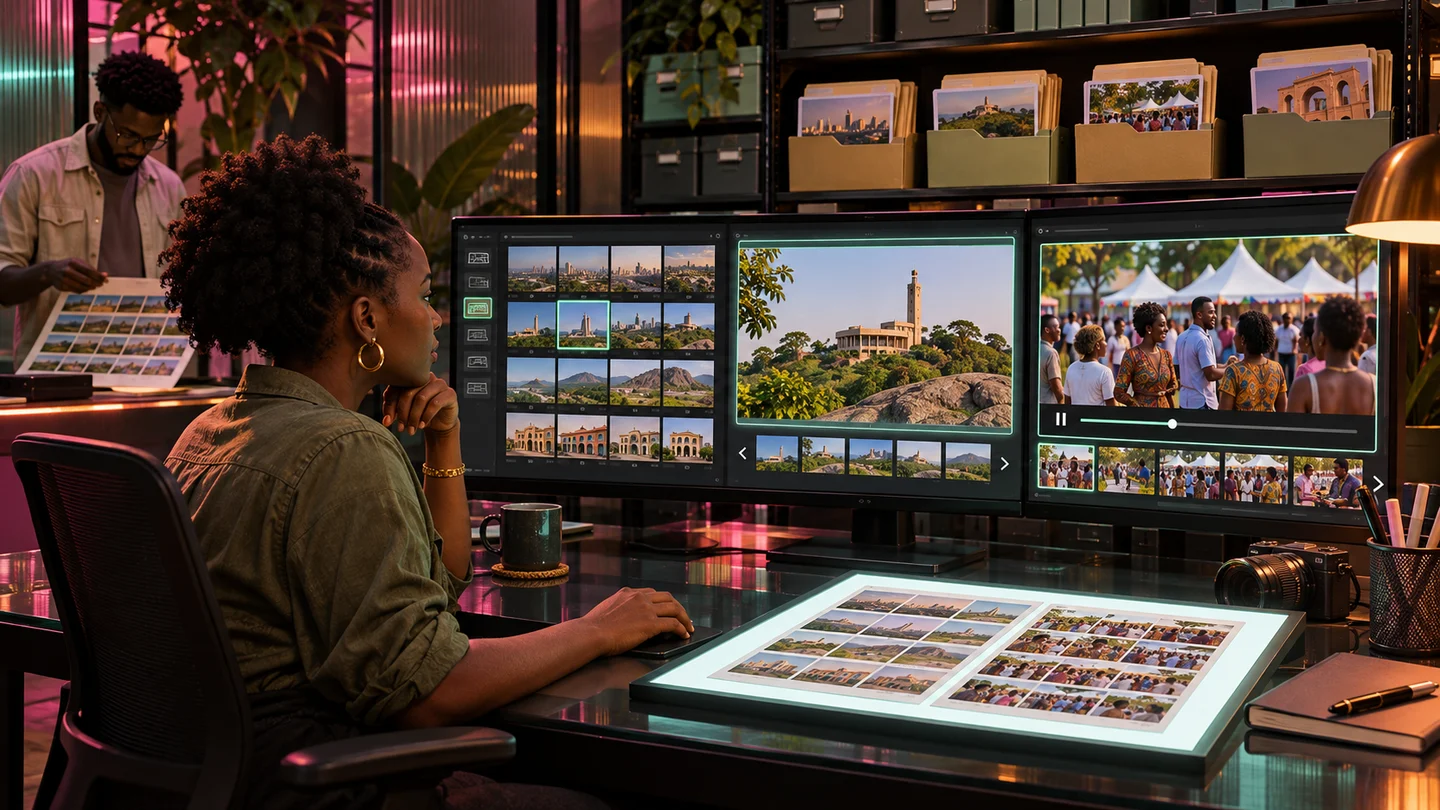
Classic: follow the collection through feed, lightbox and reel-oriented review.
Decide what to collect and follow the work
Modern begins with accounts and collection scope. Usernames or profile links become validated entries, then the operator chooses public or connected access, collection types, media types, a limit and whether to stop at already archived posts.
Public access is the default and stays separate from the optional connected session. The app does not automatically switch to a signed-in account when anonymous access encounters a problem. Stories and Highlights belong to the explicitly selected connected route where supported.
You can pause a collection, resume eligible work, stop it or see why it needs attention. The backend records the job before it starts, keeping its accounts, options, roots, attempts and retry times in SQLite. After a restart, a stale running job can return to pending rather than becoming a permanent monument to yesterday’s process.
This is the part of archiving that deserves product attention. A limit reached is a partial collection. A challenge is a reason to stop for review. A temporary connection failure may justify a bounded retry. Those outcomes should not all wear the same green tick.
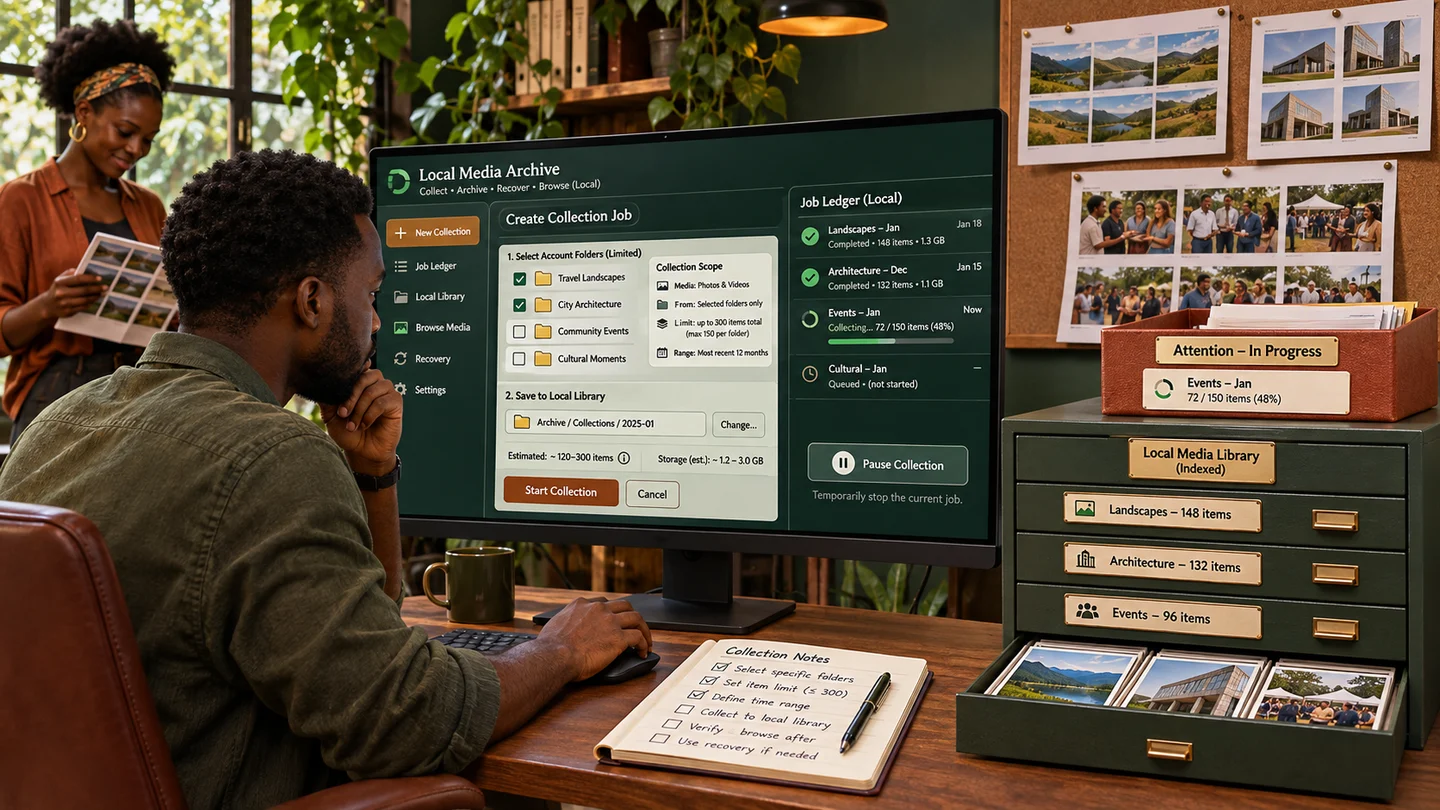
Modern: define the collection, follow the durable job and inspect the local result.
Respect the boundary at the remote service
Gramer keeps pacing and request budgets for its access lanes. Challenges, restrictions and rate limits pause the relevant work; cooldowns persist, and a response's retry instruction contributes to when the next attempt is eligible. Transient failures have a limited retry path.
Those are controls, not a guarantee of continuing Instagram compatibility or immunity from account restrictions. The remote service can change its interface or expose only part of a profile. A local build still needs current operating evidence before claiming a complete remote collection.
The implementation does not collect passwords through its own form or import a browser cookie store. Connected access uses a separate login window and reports session availability without sending the cookie value into the renderer. Collection remains an explicit choice around material the operator is entitled to archive.
The useful design principle is restraint. An archive tool should make the access route clear enough that a failed public request cannot quietly recruit a different identity to finish the job.
Keep what has already arrived
Media transfers stream into temporary files before publication. Manifests preserve post identity and original timestamps. Reconciliation checks existing files before transferring new copies, including additional checks when an older carousel's numbering is ambiguous.
An uncertain match becomes a review stop, leaving existing files untouched. Completed files remain available when a later page fails or a job is cancelled.
Local scanning follows a similar rule. Cached rows are retained when a folder cannot be read, and stale rows are removed only after a complete walk. Selecting a different library root changes what is visible without moving or deleting the original collection.
That makes the catalogue a more faithful memory. A missing drive and an empty folder are different observations. The desktop should not need a cable to explain the distinction twice.
Two interfaces, one collection to look after
TypeScript, React and Electron provide the application, with SQLite holding jobs, accounts, media and settings. Typed preload methods connect the interface to native operations. A custom media route serves catalogue-resolved files within configured roots and handles bounded byte ranges for playback.
The Modern archive uses paper, forest and rust; Classic keeps its darker viewing character. They share records while remaining separate experiences. The owner can choose the browsing experience without maintaining a second archive to support it.
Gramer sharpened how I think about recovery as part of the experience. If I have waited for a collection, I want the completed files to remain useful even when the next request fails. Preserve what finished, name what is partial and show the next eligible action. A desktop task is easier to live with when it does not make me guess how much of my afternoon survived.
Gramer: a deliberate archive.
Let the inventory answer
Gramer gives the collection a route from explicit choices through recorded work into local browsing. Classic and Modern offer different ways to use it, while the archive keeps its partial states and completed files in view.
“I saved everything” may still begin the conversation. The inventory should be able to handle the follow-up without consulting philosophy.
Back to the story’s beginning ↑
Project details
A desktop Instagram archive and media library with explicit access modes, a persistent capture queue, resumable indexing and collision-aware file publication.
Inside the workflow
A desktop Instagram archive and media library with explicit access modes, a persistent capture queue, resumable indexing and collision-aware file publication.
Have something in mind?
Bring the problem, the audience and what you want to make possible.
Discuss your project