
Websites · ICUNI Consult
ICUNI Labs website
Making a broad systems practice understandable through examples, journeys and interactive explanations.
The build story 6 minute read

ICUNI Labs Website: Find the Software Work That Speaks to Your Problem
At a glance
- Purpose
- Making a broad systems practice understandable through examples, journeys and interactive explanations.
- The build
- A systems and digital-services website with audience journeys, searchable project studies, local walkthroughs and enquiry routes.
In this story
By Menelek Makonnen · ICUNI Consult
The ICUNI Labs website helps someone with a business or software problem find relevant work, understand what it demonstrates and choose a useful next conversation. It brings problem-led journeys, searchable project studies and workflow demonstrations together, with structured enquiry and external diagnostic-booking routes.
An operations lead wants to know whether I understand the handover causing trouble in their business. A technical reviewer may want to inspect how a system is built. Both should be able to find an answer without decoding a wall of project names. “I have been busy” is an accurate portfolio statement with the commercial value of a receipt for my electricity bill.
I built this website as a discovery experience. Its job is to translate a broad body of work into recognisable problems and enough evidence to keep reading. That means the content structure, navigation and enquiry context matter as much as the visual character. A handsome third rectangle from the left still needs a reason to be chosen.
See scattered work become a connected system
The site's recurring visual idea is operational chaos becoming an organised system. Message fragments, sticky notes, emails and paper elements move with the scroll, gradually taking the shape of an application: header, navigation, modules and footer.
I implemented that composition with HTML/CSS pieces and an SVG connector layer. Scroll progress drives their position, scale, rotation and colour. A bounded animation loop interpolates the movement, while reduced-motion preference selects the organised final state.
That gives the visual system an argument. Fragmented work becomes something connected. It is a demonstration of the service proposition that can be understood before the visitor reads an implementation detail.
The dark surfaces, Inter typography, electric cyan and orange diagnostic action support the same direction. The actual raster ICUNI Labs identity anchors the navigation; the visual examples use their own vector illustrations. The animation should earn its space by explaining something, rather than auditioning for a separate career as a screensaver.
Find a project by the problem or technology you care about
The project catalogue carries more than a title and thumbnail. Each study can explain the client problem, solution, business context and technical decisions. Tags and free-text search let visitors narrow the work by the concern they arrived with.
A selected tag enters the URL, making the filtered view easier to return to or share. Individual studies keep previous/next navigation and relevant technical links. The portfolio drawer supplies another quick route into the material without forcing every visitor through the same sequence.
For a prospective client, this creates several ways into the same work. Search for the business concern, follow a relevant tag or open a study for its technical decisions. The reader can choose the depth they need instead of receiving either a sales paragraph with no substance or a dependency list with no reason to care.
The site also has a demo collection and a reviewed-build showcase. Those collections remain related but separately authored in this version, so keeping their entries aligned is an editorial responsibility. A larger catalogue should become easier to explore, rather than simply heavier to scroll past.
Understand what a concept, build or approved outcome demonstrates
Local concepts, reviewed builds and client-approved evidence do different jobs. The website presents them as distinct layers.
The approved-evidence section consumes a governed public bundle. Cards can show the evidence level, case kind, deployment status, result basis and reference availability. When that publication source is unavailable, the interface shows the problem instead of inventing a reassuring fallback case study.
That matters to how I want the work presented. A visual concept proves a design idea. An implemented build establishes another level of work. A published client outcome needs the appropriate evidence and permission. Combining all three under one triumphant label would make the gallery simpler and the conversation less honest.
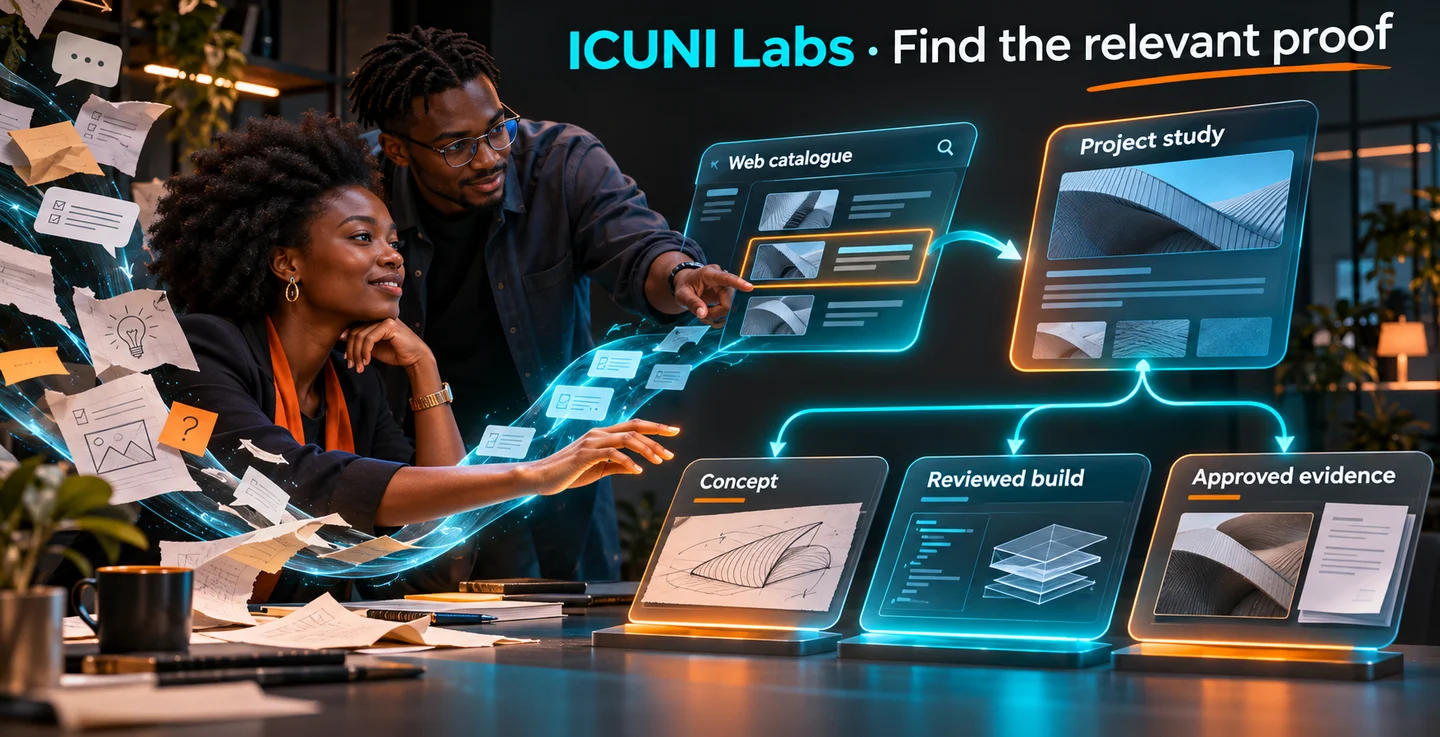
Discovery workflow: start with the problem, explore relevant work and understand the kind of evidence being presented.
See how the work could move before discussing implementation
The operations walkthrough adapts its local scenes to Owner, Manager, Team and Front Desk roles. It introduces departments and decisions through guides, showing how the same business system can look different to different responsibilities.
These are simulated scenes. Their illustrative figures and local role choices explain the idea without making a business write or enforcing live authorisation. The website concepts work similarly: coordinated desktop and phone scenes help visitors understand a design direction, while external project links remain separate destinations.
I wanted those demonstrations to reduce abstraction. “An operational system” can sound like a purchase category. Seeing how a quote, task or handover moves gives the visitor a more useful starting point.
The distinction also protects the story. A beautifully animated booking panel inside a concept is still a concept. It cannot reserve an appointment by looking enthusiastic enough.
Bring the real problem into the next conversation
The contact experience asks about the decision role, desired outcome, timing, current systems, team size and bottlenecks alongside contact details. General, institutional and growth routes carry audience context into the operational brief.
That helps the next conversation begin with the work rather than a blank “how can we help?” An external Calendar booking option gives a different route for someone ready to schedule a discussion. Opening that booking view records intent; the external calendar owns the appointment outcome.
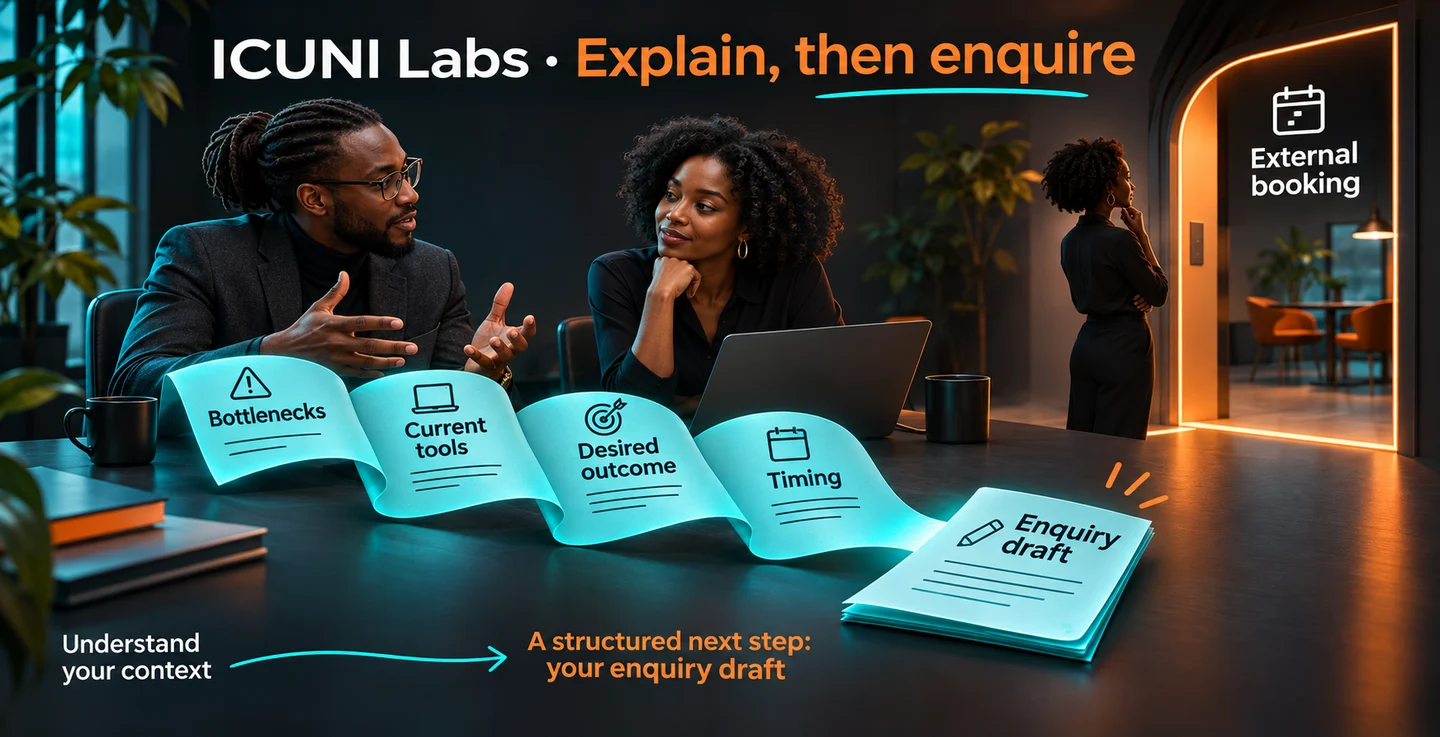
Next-step workflow: understand the operation, describe the problem and choose an enquiry or external booking route.
How I built the route from curiosity to a useful discussion
I used TypeScript, React and Vite, lazy-loaded page routes, Tailwind/CSS and Framer Motion. Public-content hooks enrich the presentation, and a restricted DOMPurify renderer supports rich content. Staff operational routes now hand off to the separate Ops console.
Building it taught me to treat discovery as a product problem of its own. The visitor should move from a recognisable concern to relevant work, understand what the evidence supports and carry useful context into an enquiry. The website cannot manufacture maturity or outcomes for the linked products. It can make the actual work easier to assess.
Help someone decide why to keep reading
The ICUNI Labs website is for the visitor trying to work out whether this body of software experience has something useful to offer their situation. It provides several routes through the work and makes the next discussion more specific.
My responsibility is to connect what I built with what another person needs to understand. The intake still needs stronger remote confirmation, and a booking view is still separate from an appointment. The portfolio can show that I have been busy. It earns its place when the reader can see why that might matter to them.
Back to the story’s beginning ↑Project details
A systems and digital-services website with audience journeys, searchable project studies, local walkthroughs and enquiry routes.
Inside the workflow
A systems and digital-services website with audience journeys, searchable project studies, local walkthroughs and enquiry routes.
Have something in mind?
Bring the problem, the audience and what you want to make possible.
Discuss your project