 Business system · Built by Menelek
PrintShop
Business Systems · ICUNI Consult
A customer approves one design. The print team needs to know exactly which file that was.
Try sample demo (opens in a new tab)Why I made it
I wanted the people preparing a job and the people printing it to work from the same approval.
Keep the review decision attached to the exact proof. With a sample job, follow the approved artwork into the next production step so the operator knows which version to use.
Sample print job
- Proof v2Customer approves the blue cover
- Production handoffUse the approved v2 artwork
- Next stepCheck stock and queue the print job
The build story 6 minute read

PrintShop: From Customer Request to the Right Approved Proof
At a glance
- Purpose
- Bringing a print business into one connected flow, from a customer’s first quotation to the finished job.
- The build
- The customer storefront captures quotation requests while the internal workspace connects jobs, production and finance. Staff review payment and route work. A version-bound design-approval capability distinguishes this implementation within the PrintFlow family.
- See it
- Open public demo
In this story
By Menelek Makonnen · ICUNI Consult
A print request, a practical staff workspace, and a design approval that remembers exactly what the customer saw.
PrintShop helps a print business take a customer’s request, prepare a working quote and get a decision about the exact artwork being printed. Customers have a clear way to submit the job; staff and designers carry its details and approval into the next handoff.
“Approved” is a dangerous little word in a print shop. It can mean the customer liked a conversation, a thumbnail, an earlier file, or the version somebody remembers opening. Once the wrong artwork reaches paper, ambiguity becomes inventory. Very expensive inventory with excellent colour reproduction.
I developed the instance to keep the request and the decisions attached. The service storefront, detailed job workspace and versioned review process give each person a place to continue what the previous person started.
A business owner ordering cards, banners, packaging or stickers should not need to explain the same brief at every desk. The team should know which quote and design decision the job refers to. The printer has enough moving parts without the brief joining them.
A request with somewhere useful to go
For a small business ordering new stationery or event material, the starting point is familiar: choose the work, describe it, attach the files, and explain when or how it should arrive. The storefront offers catalogue products and custom items, quantities, notes, a design option and pickup or delivery details.
The customer sees a simple subtotal from the entered rate and quantity. Submission creates a pending request for staff attention. That distinction matters: this is a request-and-quote workflow. Payment confirmation is handled by staff; the storefront does not turn an advertised payment method into a settled online transaction.
I wanted the intake to be approachable without pretending printing is always a shopping-cart problem. A banner and a packet of business cards can share an order, but their preparation needs may differ. Custom lines leave room for that conversation rather than forcing every job into a catalogue entry with the accuracy of a horoscope.
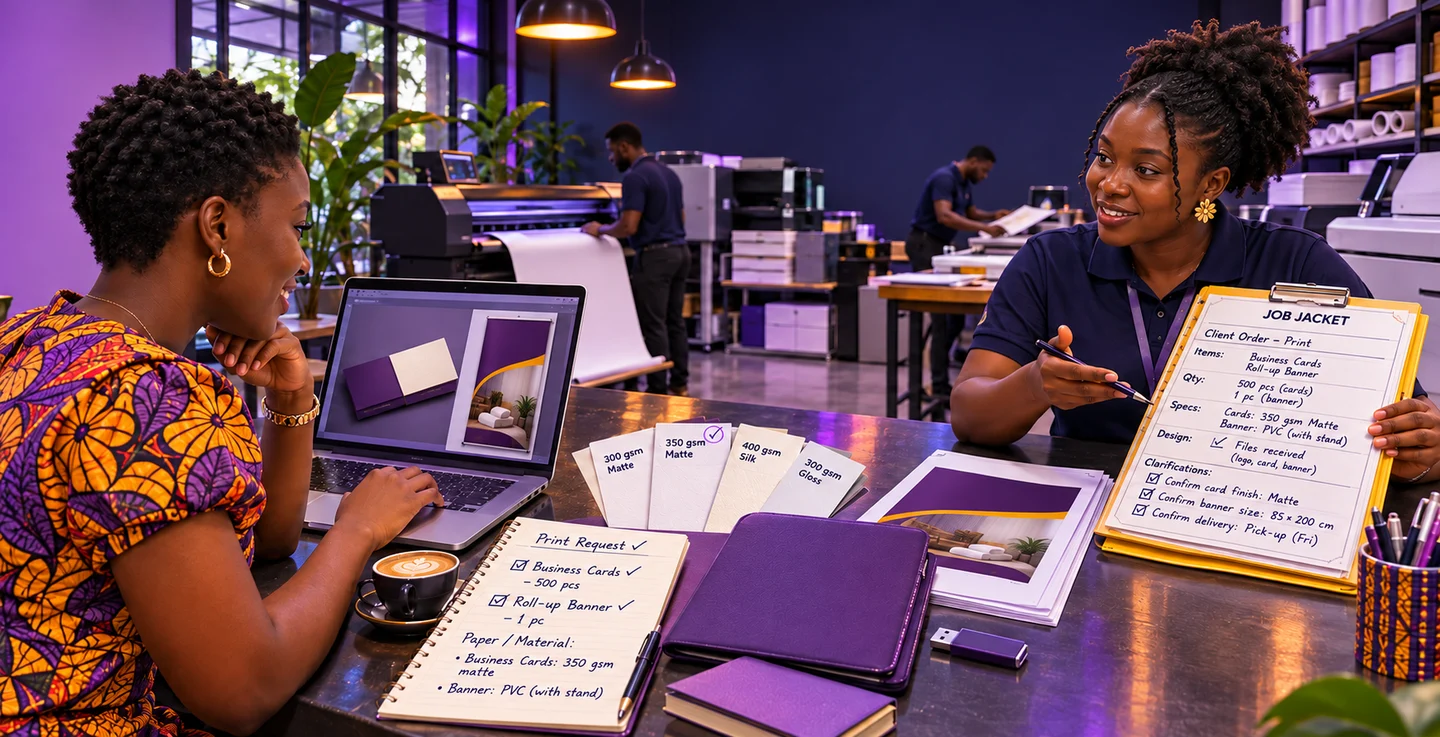
Customer intake: choose the work, attach the material and give staff a useful starting point.
Give staff room to quote the job that will actually happen
Staff can build a more precise job than the initial customer request. Item rates and quantities sit alongside fixed or percentage costs and discounts, design services, cutting and additional expenses. These are practical controls for making the quote reflect the work that will actually happen.
The internal workspace also separates roles. Front-desk or administrative staff confirm payment; production and finishing actions depend on the current stage and the relevant role. Timestamps, actors and activity records give the handoff context. This provides a record of staff decisions, including a recorded payment confirmation, rather than independent proof of a bank settlement.
This instance belongs to a shared PrintFlow family. I reused the common storefront and operational foundation instead of presenting each business snapshot as a fresh invention. The boundaries are deliberate: Maame Warehouse owns its stock ledger, and Print Innovations owns the authoritative physical production lifecycle. PrintShop's production-shaped views support coordination and require an intentional handoff to those systems.

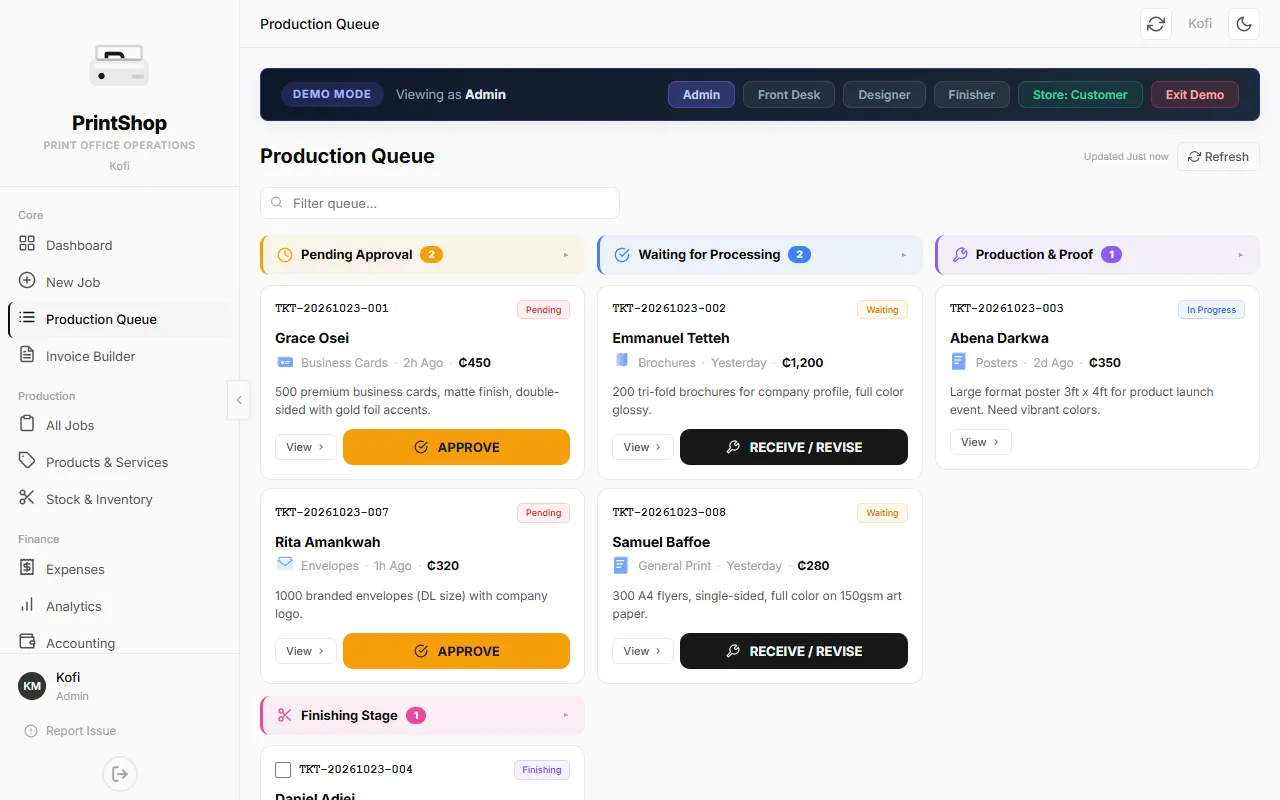
Staff coordination: refine the quote, record decisions and make the next handoff explicit.
Approve the file, not the atmosphere
The design-proof workflow is the project's clearest distinction. When a designer sends a review file, the backend calculates its SHA-256 fingerprint. Think of this as a compact identity for the actual file contents: changing the file changes its fingerprint.
The system issues a review link scoped to the job and design version, with a seven-day expiry. It stores a fingerprint of the secret access value rather than the secret itself. The review page removes that value from the visible address after capturing it for the tab session.
The customer can approve or request changes. A rejection needs written feedback, which makes “no” actionable for the designer. The decision creates a receipt connecting the job, version, file fingerprint, decision, feedback and time. A new version requires its own decision; an old approval cannot simply wander forward wearing a borrowed lanyard.
For design-required work, moving to finishing requires the approved state and a current approval receipt. A changed status label alone is insufficient. The interface asks a human to judge the artwork, while the backend preserves which artwork received that judgement.

Design proof: one version, a scoped review and a decision tied to the exact file.
Keep the request, records and files connected
The application uses JavaScript, React and Next.js for its customer and staff interfaces. A Next.js API bridge sends defined actions to Google Apps Script. Google Sheets holds operational records, including monthly job tabs, while Google Drive holds job folders and files. Chart.js and PDF-related libraries support reporting and document work.
These established tools make the joins important. A browser estimate still needs staff review. File upload and notification attempts need checking in their operating environment. Finance screens summarise jobs and expenses.
What the build sharpened
Building this reinforced something I enjoy about operational software: taking an everyday phrase seriously enough to find out what it means. “The client approved it” needs a job, a version and actual file contents. “Paid” needs a recorded staff decision, with the limits of that confirmation clear. “Production” needs an owner across the related systems. Without those details, I would merely have given the confusion a nicer font.
The lesson is to design the handoffs as carefully as the screens. Attractive cards help people find the work. Precise records help the next person trust it.
PrintShop. existing project logo retained.
A better meaning for approved
PrintShop starts with an ordinary request and works towards a more reliable handoff. It gives customers a way in, staff room for the detail, and designers a review process that remembers its subject.
The goal is practical clarity before ink meets paper. “Approved” should be a useful decision, not the opening line of an expensive mystery. The print shop already has a cutting room. Its records should not need a detective.
Back to the story’s beginning ↑
About the work
Bringing a print business into one connected flow, from a customer’s first quotation to the finished job.
Connected print operations: quotations, invoices, job stages and stock coordination, with WhatsApp updates and automatic Google Drive document storage. In active use; public demonstrations use sample data.
Create quotations and invoices around the print job.
Track production stages and coordinate shared warehouse stock.
Send WhatsApp booking and status updates, with documents stored automatically in Google Drive.
PrintShop connects print operations with Maame Warehouse. It is part of the PrintFlow family.
Design and technical decisions
The customer storefront captures quotation requests while the internal workspace connects jobs, production and finance. Staff review payment and route work. A version-bound design-approval capability distinguishes this implementation within the PrintFlow family.
In the product
- Create quotations and invoices around the print job.
- Track production stages and coordinate shared warehouse stock.
- Send WhatsApp booking and status updates, with documents stored automatically in Google Drive.