
Business Systems · ICUNI Consult
Reconcile Pro
A payroll workspace for reconciling employee identities with statutory records and contributions.
The build story 8 minute read

Reconcile Pro: Turn Messy Payroll Files into Employee Records You Can Follow
At a glance
- Purpose
- A payroll workspace for reconciling employee identities with statutory records and contributions.
- The build
- The workflow separates Ghanaian payroll identity matching from monthly statutory-record and payment review. An IndexedDB mutation queue works alongside an Apps Script cloud source.
In this story
By Menelek Makonnen · ICUNI Consult
Reconcile Pro helps payroll and pension-administration teams work out who belongs to each record and what still needs doing before a monthly deadline. It compares payroll with registration files, explains proposed matches, keeps a continuing employee registry and tracks filing and payment milestones in one workspace.
One employee can arrive under three versions of their name. A missing identifier becomes a lookup task. A duplicate becomes a risk of counting the same obligation twice. Then someone asks whether the month is finished, and the answer is somewhere between an exported workbook and a prayer with column headings.
I built Reconcile Pro to make that work easier to pick up and explain. The person handling a month should be able to see which rows match, which need judgement and which later steps have supporting references. The employee deserves a coherent identity. The operator deserves a better afternoon than manually rebuilding one.
Find the person behind an inconsistent row
A run begins with a payroll snapshot and at least one authority-registration file. Upload slots identify their purpose, and parsed authority records can be retained locally for reuse. The run derives a period from the payroll filename, so period checking matters when historical filenames lack dates.
The engine has distinct matching contracts for the two pension-record paths. It can normalise names, recognise swapped order, use cleaned identifiers and propose fuzzy name candidates. The output carries reasons, source positions and match categories rather than only a newly populated identifier column.
In one path, exact and identifier matches, fuzzy candidates and missing rows receive different classifications. Fuzzy candidates can enter the combined output with a lower grade. Repeated final identifiers produce a merge/dropped-record report instead of quietly summing salaries.
The other path cross-checks name and identifier candidates differently. Conflicting candidates receive explicit treatment. Incompatible names can defer an identifier-only match, and conflicting identity-card ownership can prevent a candidate from reaching the ready output. Missing required registration details remain visible.
For the operator, the benefit is a more focused review. Exact matches, competing candidates and missing details no longer demand the same kind of attention. The explanation points to the row that needs a human decision and the evidence behind the suggestion. “Probably the same person” can help narrow the work; it would make a remarkably poor legal name.
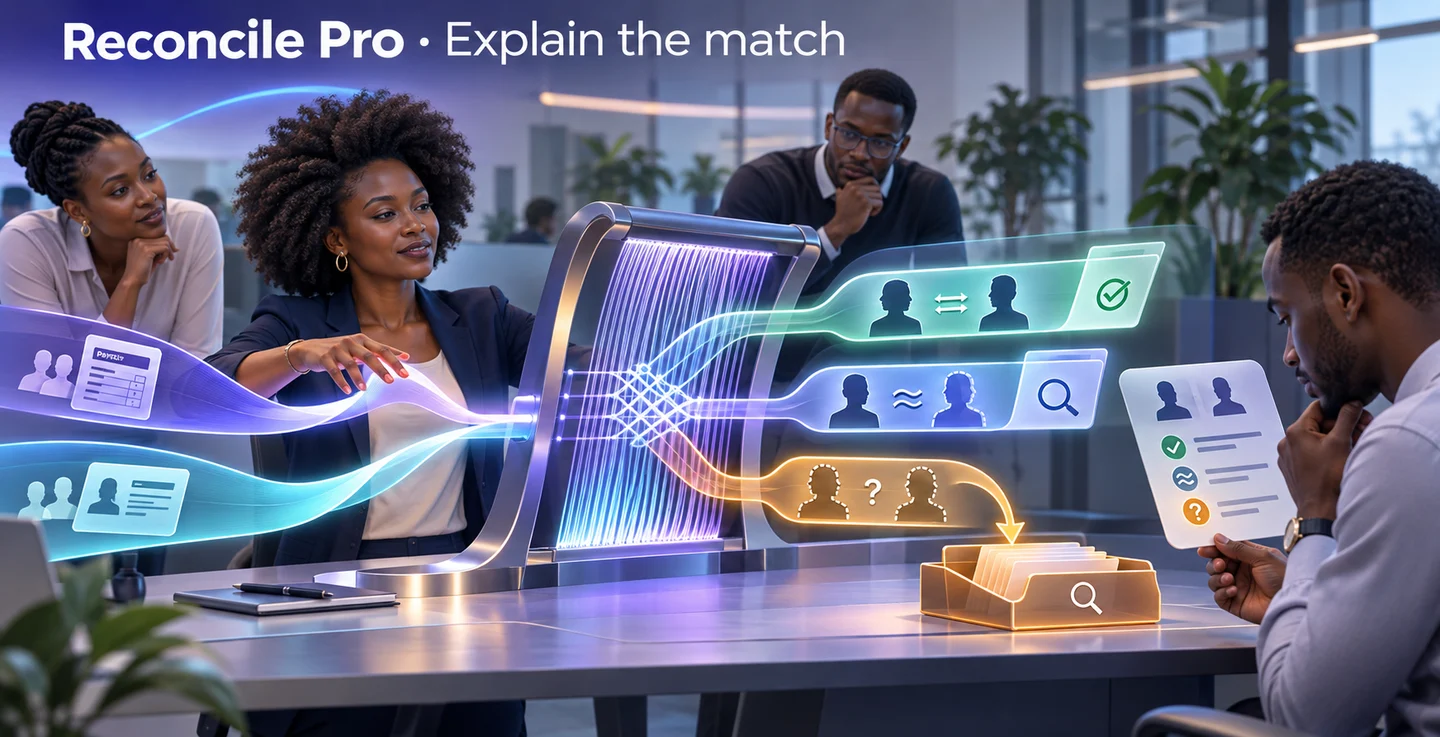
Reconciliation workflow: compare the source records, retain match reasons and distinguish ready candidates from unresolved rows.
Give the person a history beyond this month's file
Reconcile Pro keeps a reusable employee registry around the individual reconciliation run. That changes the workflow from repeatedly fixing a spreadsheet to building a record of what has already been learned.
Registry import has its own matching order: employee code, pension identifier, identity card, learned alias and a strong name fallback. That fallback requires both sufficient similarity and a clear lead over the next candidate. If those conditions are absent, the row remains unmatched.
An update can fill a missing identifier without overwriting an existing nonempty one. An incoming name can become an alias. Those behaviours let the registry accumulate useful context while preserving the need to review disagreement. A familiar alias helps the next import.
I wanted the product to remember decisions that people could explain. The registry, aliases and filing history give an employee a continuing identity across months. That is a better foundation than asking each new workbook to rediscover the same person from scratch.
Resolve duplicates without losing somebody’s history
Duplicate review is a separate workspace because finding a candidate pair and merging people are different responsibilities. The detector compares name patterns and shared identifiers, while strong-identifier conflicts reduce the candidate score and remain visible.
The merge decision requires chosen values drawn from the actual conflicting records. A recommendation can point to a plausible primary record; the operator still has to decide what survives. That is the human judgement the interface should support instead of burying beneath a reassuring score.
The local merge spans employees, filings and aliases. Filing collisions combine lifecycle progress, maximum amounts and evidence flags rather than adding a duplicate liability. Aliases move to the retained employee, and a cloud merge is queued. The server has its own conflict checks and consolidation path, preserving secondary records as deleted records rather than trusting the browser alone.
The design lesson was to put discovery and consequence on different sides of an explicit decision. Two rows looking suspiciously similar is an excellent reason to investigate. It is a poor reason to erase somebody's history automatically.
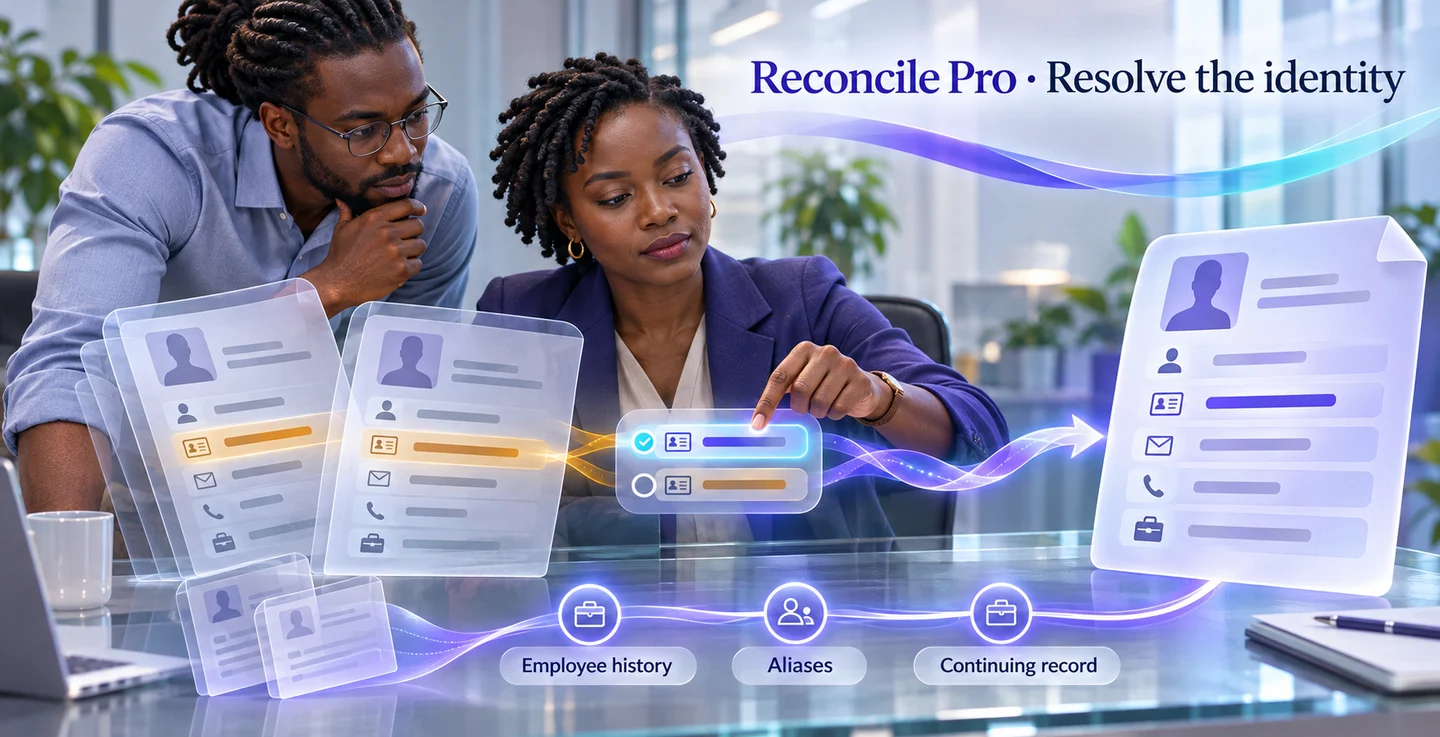
Identity workflow: surface duplicate candidates, resolve conflicting values and carry the retained employee's history forward.
See what still stands between this month and completion
The monthly register distinguishes Not Ready, Ready, Prepared, Filed, Paid and Evidenced. The editor captures filing/payment dates, references, evidence information and notes. Ordinary imports preserve a more advanced existing state, while an explicit operator correction can move a lifecycle backwards.
That matters because evidence arrives in pieces. An imported schedule can support readiness. An exported schedule shows preparation. A filing reference supports a filing record. A payment reference and supporting material tell another part of the story. Each should be recorded for the transition it actually supports.
Analytics bring expected, filed, paid and outstanding positions into employee and scheme views. Those figures are derived from entered/imported data and the authored calculation rules. In some paths, an advanced lifecycle status substitutes expected amounts when explicit positive filed or paid amounts are absent. The dashboard therefore needs to be read as an operational control view, not independent confirmation from an authority or bank.
I kept the all-time dashboard and monthly register separate because they answer different questions. The overall picture helps locate outstanding work; the monthly view lets an operator inspect a particular period and its supporting references. Combining every number into one large total can create an excellent chart and an extremely unhelpful conversation.
A team lead can use the overall view to find registration gaps and unfinished milestones. The person handling a particular month can open the period, inspect its references and continue the work. That is the value of the work queue: the next action is attached to an employee and a month, rather than hidden in a folder called final-final-this-one.

Monthly control: record preparation, filing, payment and evidence as distinct milestones.
Give the next team the result and the reason
Outputs include provider schedules, filing files, reconciliation workbooks, authority audits, duplicate/merge reports, employee masters and payroll summaries. The useful part is the relationship between a result and the reason behind it.
An ambiguous row can travel from an import reason to an identity decision, then to an export and a monthly evidence record. The operator can follow where the judgement happened. A deferred row remains work to resolve instead of disappearing because the final workbook needed to look tidy.
Export generation is still different from external submission. Downloading a schedule creates a file. It does not file the schedule, move money or produce an authority acknowledgement. Those later events need their own evidence. The same deadline may involve all of them; that does not make them interchangeable.
Build for the person who lives in these tables
I implemented the workspace in JavaScript, React and Vite, with SheetJS for spreadsheet handling, Fuse for name matching and Dexie/IndexedDB for local records and queued changes. Google Apps Script services provide the cloud API over Google Sheets, with separate Drive backup code. An Electron packaging path exists alongside the browser application.
Production session handling and the synthetic demo are deliberately separate. The demo disables cloud requests, making it possible to discuss the workflows without borrowing a real employee's identity for the presentation.
For authenticated work, cached employees can appear while filing history synchronises. Local changes enter an ordered persistent queue. Failed items retain attempts and errors for retry. The interface distinguishes a local snapshot from fully synchronised history, which helps the operator understand what is currently available.
The engineering boundary is just as useful as the feature. A mutation queue supports continuity; it does not make the complete batch an atomic, exactly-once transaction. Earlier writes can succeed before a later failure, and retries can replay work. Recovery and concurrency deserve explicit acceptance work rather than optimistic terminology.
Dense tables also received practical attention: column resizing, autofit, drag reordering, persisted order and a cell inspector/copy affordance. Those details matter when the same operator spends time navigating a register, comparing identifiers and checking reasons. Precision can live in a small interaction as much as in the matching engine.
Using Reconcile Pro responsibly still means checking identity accuracy and current statutory requirements, then validating deployment, synchronisation and recovery with the actual operating setup. The implemented workspace supports reconciliation and control.

A person, a month and a next step
Reconcile Pro is for the team facing a real deadline with inconsistent files. It brings matching, employee history, duplicate resolution and monthly follow-through into a place where someone else can understand the work and continue it.
My goal is practical: let people spend their judgement on the records that need it, while the system preserves the reasons and the history. One employee may still enter the room under three names. At least the software can help us stop treating that as three separate invitations.
Back to the story’s beginning ↑Project details
A payroll reconciliation flow for reviewing identity matches, duplicates, monthly filings and payment evidence.
Design and technical decisions
The workflow separates Ghanaian payroll identity matching from monthly statutory-record and payment review. An IndexedDB mutation queue works alongside an Apps Script cloud source.
Inside the workflow
A payroll reconciliation flow for reviewing identity matches, duplicates, monthly filings and payment evidence.
Have something in mind?
Bring the problem, the audience and what you want to make possible.
Discuss your project