
Experiments · ICUNI Labs
ReelScribe
Bringing reel references, captions and transcripts into a local research library.
The build story 6 minute read

ReelScribe: Give the Useful Point in a Reel a Place in Your Notes
At a glance
- Purpose
- Bringing reel references, captions and transcripts into a local research library.
- The build
- A source prototype organises public Instagram reel discovery, captions and externally generated transcripts in a local desktop catalogue.
In this story
By Menelek Makonnen · ICUNI Labs
ReelScribe is my desktop workspace for turning public reel discovery into a readable research collection of records, captions and externally requested transcripts. It gives the useful point in a short video somewhere to live beyond another replay and a note saying “the one with the good bit”.
The intended user is a creator or researcher revisiting a set of public clips. A persistent library can keep profile and reel identities together while caption and speech text remain distinct. The algorithm may enjoy my seven replays; my notes are less easily impressed.
I built the React/Electron desktop workflow around local SQLite records, bounded browser discovery and an external transcript service. It retains an earlier Transcribe-Reels lineage, while using a different active architecture and provider path. I credit that history without treating it as the origin date of this desktop workspace.
The current interface and bridge still need alignment, and the pipeline can mark an item done without a non-empty transcript. Those are concrete completion tasks.
Give the profile a library identity
For recurring research, the starting point needs an identity I can return to. ReelScribe creates or updates a profile by username, derives its Instagram URL and stores it through a parameterised database operation. That gives the later reel records a local home rather than leaving them as unrelated links.
That gives discovery a local owner. Reels belong to a profile record, and known shortcodes or URLs can be skipped by the database identity constraint rather than repeatedly presented as new work.
The discovery pipeline permits one running scrape. It visits the public reels page, dismisses common overlays and collects matching URLs while scrolling within a fixed limit. Repeated passes without new results end the search.
That is bounded browser discovery. Login walls, visibility and changing page markup remain external conditions. The discovered URLs are sorted lexicographically, which is not a chronological order and should not be advertised as newest-first research.
For a creator studying a set of publicly available clips, the intended benefit is a persistent list of candidates that can be enriched and revisited, rather than another loose collection of browser tabs.
Keep captions and speech text separate
Caption extraction and transcript processing answer different questions. The caption is text associated with the post. A transcript attempts to represent what is said in the media.
The desktop pipeline saves a non-empty caption, marks the item for transcription and opens saveto.ai’s Instagram transcript workflow in a browser page. It supplies the reel URL, requests processing and polls result-like page elements within a limit.
That is an integration around a third-party website. This path does not contain a local Whisper engine or my own speech model. The service remains responsible for the text it returns, while ReelScribe handles its request and local record.
The helper can return an empty string on timeout or error. The queue currently marks the reel done even when no transcript was saved.
That distinction is especially important in research. An empty transcript is not a particularly concise speaker. It is missing output that the next step needs to recognise.
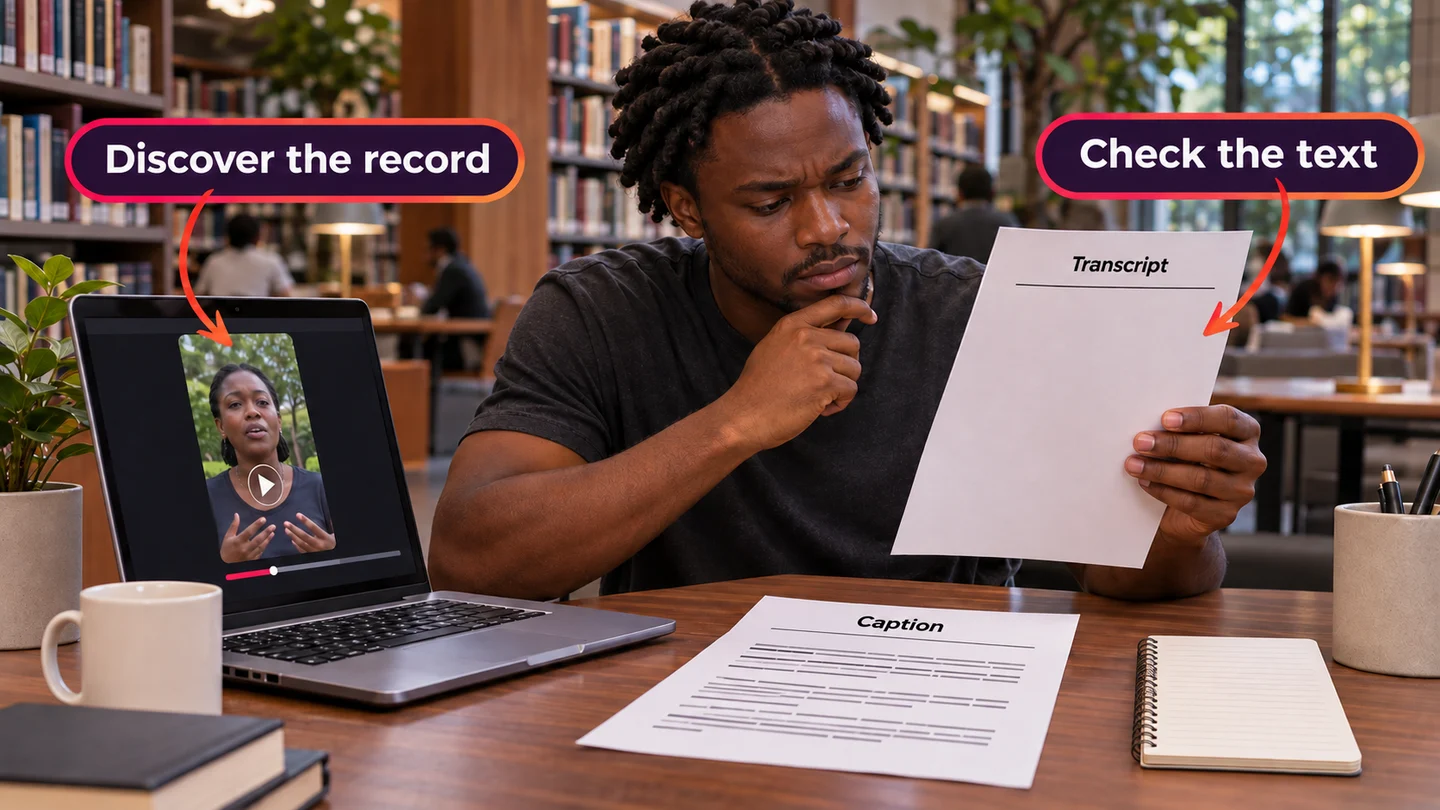
Discover and check: retain the record, distinguish caption from transcript and inspect the actual text.
Make reading the purpose of the interface
The React and TypeScript interface presents Dashboard, Profile, Reel Detail, Queue and Settings views. Its collapsible navigation rail and magenta/red/orange film-reel identity give the workspace a coherent visual subject.
Caption and transcript reading areas include clipboard-copy feedback. The intended loop is simple: choose the relevant reel, read the available text, copy a useful passage and return to the source when the meaning needs checking.
SQLite repositories retain profiles and reels, while Electron IPC connects the desktop UI with the Playwright-based pipeline. The data layer uses WAL and foreign-key behaviour, and discovered records are inserted without replacing known identities.
Align the interface with its bridge
Several renderer calls currently use a different vocabulary from the exposed preload. The bridge offers reels.byId and scrape.start with a profile identity; some screens call reels.get or scraper.start with a username instead.
Detail, cancellation and settings paths also expect methods not exposed in that bridge. Those joins need alignment before I describe a verified profile-to-transcript journey. A TypeScript interface can draw an excellent map; it cannot persuade a differently named road to connect itself.
Cancellation is checked between stages, rather than proving every active navigation or external poll is aborted. The current window also disables web security, so context isolation alone would not support a secure-desktop claim.
I keep those as concrete completion work around a useful design: align the method and argument identities, preserve errors across the bridge and make a non-empty transcript its own accepted result.
What the workspace made visible
The workspace taught me to follow the person's task across the entire interface: choose a profile, find a reel, open its text and copy something useful. Reasonable repository, preload and screen methods do not produce that journey if their names and arguments disagree. Finishing those joins is how the research idea becomes a tool worth returning to.
It also reinforced the value of separating discovery from enrichment. Finding a URL is useful. Saving a caption is useful. Receiving and checking speech text is another useful result. Their statuses should not borrow certainty from one another.
My contribution is the desktop library and its integration approach, with the earlier transcription lineage acknowledged. The strongest lesson is practical: a text research tool should make it easy to see whether the text actually arrived.
Let the good point reach the notes
ReelScribe explores a persistent route from public short-video records to readable research material, with captions kept separate from speech text and the source still available for checking meaning.
The algorithm has enjoyed enough replays. The useful sentence deserves a place in the notes.
Back to the story’s beginning ↑
Project details
A source prototype organises public Instagram reel discovery, captions and externally generated transcripts in a local desktop catalogue.
Inside the workflow
A source prototype organises public Instagram reel discovery, captions and externally generated transcripts in a local desktop catalogue.
Have something in mind?
Bring the problem, the audience and what you want to make possible.
Discuss your project