
Creative Tools · ICUNI Labs
SnapScribe
A local viewing and review space for captured Snapchat media.
The build story 8 minute read

SnapScribe: Keep Reachable Public Media in a Local Library You Can Review
At a glance
- Purpose
- A local viewing and review space for captured Snapchat media.
- The build
- Python extraction, scheduling and SQLite indexing support a local capture and review library.
In this story
By Menelek Makonnen
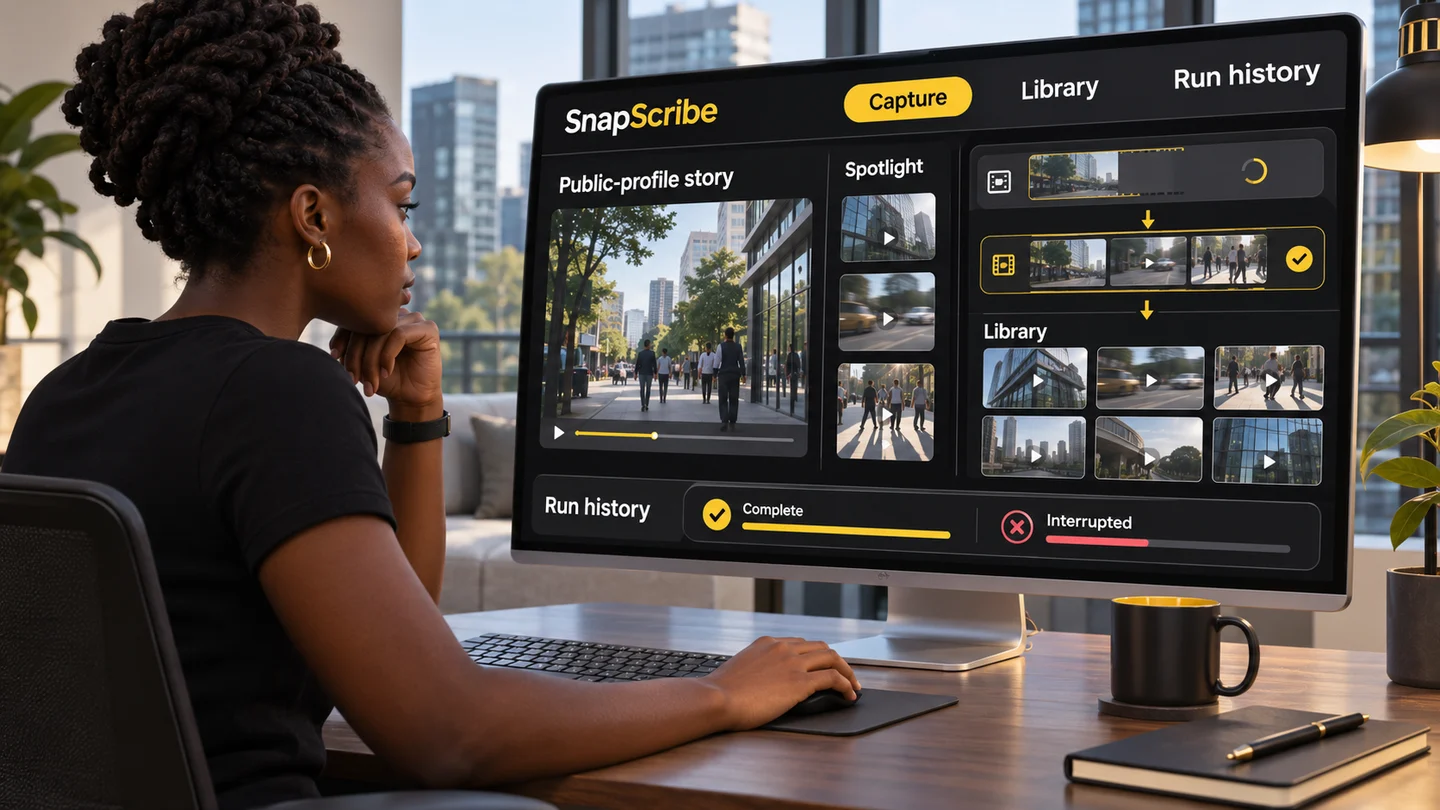
SnapScribe helps creators and media researchers bring reachable public-profile media into a local library they can inspect, play and revisit. Choose an account, run a supported profile or 24-hour story pass, then review the files and the record of the attempt.
Disappearing media has a talent for leaving “you had to be there” as its official documentation. That works for a party. It is less useful when I am trying to revisit my available public output or prepare an editorial selection.
I built SnapScribe to connect capture, indexing and review rather than leave a downloader's output as another mysterious folder. Electron and React provide the desktop workspace; Python workers collect what the public-page workflow can reach; SQLite keeps the library organised.
The scope matters. It is not a private-account bypass, a transcription model or a promise to recover material a public page no longer exposes. Its useful job is a bounded capture attempt with playable local results to inspect and a history that can also explain interruption or missing output.
An account is the start of a job
The account workflow trims a handle, removes a leading at-sign, normalises its case and checks for duplicates before creating the local structure. From there, the user can choose a fuller public-profile pass or the separate 24-hour story route. Those are distinct capture scripts, not two decorative names for the same request.
The renderer hands work through the Python bridge. A run receives a persistent row, while UTF-8 output provides progress signals and stderr gives failures somewhere to go. Some progress is estimated from phrases emitted by the worker. That is useful feedback, but I do not present it as a precise byte-level percentage. A moving bar is a conversation with the process, not a lie detector strapped to a downloader.
Manual work has concurrency limits, including protection against overlapping work for the same account. Batch operation uses available slots rather than launching every request at once and letting the machine negotiate the consequences. These controls matter when a user is collecting a selected set of public records over time, with enough context to review incomplete work later.
Capture depends on what the public page exposes
The Python route looks for material in public-profile HTML: structured data, embedded posts, Spotlight information and story thumbnails. If that does not provide the needed material, a headless-browser fallback can inspect the page. This is page-based acquisition, not a first-party Snapchat API integration, and.
The 24-hour route has its own navigation handling. It waits for the document to load, attempts a network-idle wait and retries bounded navigation failures. A pause marker supports cooperative pauses between steps. It does not freeze an already active network transfer at an exact byte. That distinction makes pause a usable operational control without giving it fictional powers.
For a media researcher or creator reviewing their available public output, the practical workflow is straightforward: choose an account, run the relevant pass, then inspect the actual local results. If a remote page changes or exposes no usable material, a clean process exit alone cannot prove the account had nothing worth capturing. Public availability and parser coverage remain different questions.
Finish the file before calling it a file
Downloads write to a temporary partial file first. The transfer must produce positive bytes and, when a content length is supplied, must not end short of that expected size. Only then does the script replace the destination with the completed file. Interrupted partials are removed. This reduces the chance of the library presenting an abandoned fragment as a finished clip.
The check has a precise scope: the current code rejects a transfer shorter than the announced length; it is not an exact equality proof or a full media decode. The capture code also contains a certificate-failure fallback that can retry with certificate verification disabled. I do not describe the downloader as uniformly certificate-verified. That is an engineering limitation to address deliberately rather than hiding it behind the word “secure.”
After acquisition, indexing turns filesystem material into a reviewable library. The indexer can find current and legacy directory layouts. It records the media it recognises and distinguishes files found from rows newly inserted. A repeat scan can therefore find material without falsely claiming every item is a brand-new acquisition.
The library can help me recognise a file by its filename stem, account and source context, but that identity is not a cryptographic comparison of the contents. Some metadata is also absent on particular routes. I keep the actual file easy to reach because reviewing the material is more useful than trusting an impressive field name.
A scheduler should remember its failures too
Scheduled work checks whether scheduling is enabled, which accounts are due and whether a forced run has been requested. A guard prevents overlapping scheduler batches. It skips accounts already active in manual work, then processes eligible accounts with their own results. That keeps the scheduler from competing blindly with the person using the application.
When real work begins, the application persists a run receipt. Process outcome and indexing counts remain separate: a worker can exit successfully while finding no new records, and a useful scan can encounter files that were already indexed.
Restart handling matters just as much. If a persisted run no longer has its worker after interruption, SnapScribe marks it interrupted rather than inventing a resumed child process. The interface can show status and due work, offer actions and retain that history. I want a schedule to be accountable for the hours when nobody was watching, including the hours when it achieved nothing.
This is the difference between an automation feature and a timer attached to wishful thinking. A clock can tell the application when to try. It cannot tell the user that the attempt succeeded. The receipt, process result, index counts and resulting media have to supply that answer together.
Review is a first-class part of capture
The library has a local player, playlist navigation, keyboard movement and Escape handling. A user can reveal a file in its folder and make a deliberate deletion choice with confirmation. Those ordinary controls are important because collection without review quickly turns into storage with a flattering name.
The sidebar supports actual width dragging with global mouse movement, a maximum width and a collapsed rail. Releasing within the narrow range snaps it back to its working width. That gives accounts and media more room when needed while preserving an efficient navigation state. It is a modest interaction detail, but a local archive should make repeated inspection comfortable, not merely make the first capture look impressive.
Imagine collecting a public profile periodically and then preparing a small editorial selection. The useful end state is a set of playable local files, an index that helps locate them, and a run history that explains gaps. The application should not force the editor to infer all three from a green badge and a folder full of mysterious filenames.
What I take from the implementation
Building SnapScribe meant connecting desktop processes, Python page parsing, browser fallback, transfers, SQLite indexing and schedules around the person checking the result. The lesson was to make the next action obvious: inspect an interrupted run, find a saved file or play an indexed clip. Those are different outcomes, and the interface becomes more useful when it helps me reach the one I need.
That is also where my product judgment is most useful: putting the distinctions where a person can act on them. I can explain a bounded public capture, surface an interrupted run, keep partial files out of the finished library and let the user inspect the artifact. That separation gives future improvements a clear place to attach and a result to verify. Improving certificate handling and strengthening content identity are concrete next engineering concerns; they do not require inventing a larger story about what the present build already guarantees.
The name is deliberately about recording and making material usable. It is not a transcription model, a private-account bypass or a claim to recover media that the public page no longer exposes. A focused description gives the actual desktop workflow room to be useful on its own terms.
The existing animated source identity is shown at a settled frame.
Give the archive something to answer with
SnapScribe gives reachable public media a local review process, with accounts, files and run history kept in the same working context. I can collect a bounded selection, inspect what arrived and understand gaps without asking a green badge to reconstruct the whole evening.
The current certificate fallback and content-identity limits remain concrete engineering concerns. Naming them makes room to improve the product without pretending today's collection is a perfect archive.
“You had to be there” can stay the party's official documentation. I would like the library to have a file and a little more context.
Back to the story’s beginning ↑Project details
A desktop media-capture application combines extraction, accountable scheduling, local indexing and immersive playback. Examples and demonstrations require permission-cleared media.
Design and technical decisions
Python extraction, scheduling and SQLite indexing support a local capture and review library.
Inside the workflow
A desktop media-capture application combines extraction, accountable scheduling, local indexing and immersive playback. Examples and demonstrations require permission-cleared media.
Have something in mind?
Bring the problem, the audience and what you want to make possible.
Discuss your project