 Software
ICUNI Starterclass
Communities · ICUNI Consult
Designing the path from discovering a programme to taking part and continuing the learning.
The build story 6 minute read

ICUNI Starterclass: Bring One Real Task. Leave the AI Theatre Outside.
At a glance
- Purpose
- Designing the path from discovering a programme to taking part and continuing the learning.
- The build
- Programme discovery leads through session registration, payment review and post-enrolment materials and assignments. Programme dates, prices and availability belong to the live learning system, rather than this portfolio record.
- See it
- Visit project
In this story
By Menelek Makonnen · ICUNI Consult
ICUNI Starterclass helps people find practical AI training, register with a real task in mind and continue into a learning workspace for materials, assignments and feedback. For the team running the programme, it keeps learner goals, enrolment, payment review and cohort work connected.
I built it around the question an AI workshop should answer: what would you like to get better at doing? A demonstration can write a sonnet about procurement. Procurement still has seventeen unanswered emails and has declined the invitation to applaud. I wanted a participant's actual work to have a place in the experience from the start.
A person choosing a class needs to understand the offer and find a suitable session. After registering, they need to know what happens next. The organisers need enough context to support that journey without reconstructing it from separate payment messages and sign-up lists. Starterclass gives both sides a shared structure.
Begin with the work somebody actually has
Registration asks more than where to send the confirmation. Participants provide their role, AI experience, learning goals and one real work task, alongside identity, country, class and session choices. Community and newsletter preferences have their own opt-ins; consent is explicit.
The form divides registration into three stages: identity and country, learning goals, then class/session choices and terms. Each stage checks what it needs before continuing. Someone new to AI should be able to explain their needs without first surviving a form that resembles an application for asylum from forms.
The real-task field is the product decision I care about most. It gives a facilitator something concrete to work towards. A participant might want help shaping research, organising a repeatable administrative task or turning a rough brief into useful material. Those are possible learning needs, not outcomes I claim the form automatically delivers.
The system captures the intention. Teaching still has to earn the result.
Choose a session and get a registration you can follow
The browser sends a structured registration request to the Google Apps Script service. The server checks required identity and class fields, consent, and whether the selected session exists, is open, matches the class tier and starts in the future.
For a participant, that means an old page cannot silently decide the current availability of a class. The server checks the session again when the registration arrives. An open tab is an excellent way to postpone a decision; it should not grant the power to reserve yesterday.
The service creates a registration identifier and payment-intent state, records the selected session and creates or updates the user record. Country determines the registration currency across GHS, GBP and USD. A confirmation-email failure does not erase the registration; quota-sensitive email can be queued separately.
There is a specific boundary here: this version checks session eligibility, but does not implement an atomic remaining-seat reservation in the registration path. Eligibility and a guaranteed final place require different rules. Keeping that distinction clear is part of building an enrolment system people can understand.

Choose, register and continue learning.
Know where your payment stands
Starterclass supports a Stripe checkout-session route and a Ghana Mobile Money reference-review route. They meet the same operational need through different processes.
For Mobile Money, the participant submits a transaction reference. The registration moves into verification, and an authorised administrator can confirm payment. Supplying a reference is not the same event as confirmation. The Stripe confirmation operation has its own server-side guard, with configured price identifiers supporting checkout.
The interface keeps pending checkout context as the participant continues. Organisers can review registrations, payments, sessions and revenue in their respective views. That helps the person answering an enrolment question find the relevant state instead of interpreting a payment screenshot through the ancient administrative art of squinting.
I also kept writes deliberate. The client retries read-style calls within a bounded policy, while registration submission disables automatic retry. A failed connection should produce a clear next decision, rather than silently submitting the same enrolment again.
Come back for the materials, the task and the feedback
The participant workspace brings cohorts, session information, published materials, assignments and review notes into the same journey. Confirmed enrolment controls access to the learning functions.
For an assignment, the learner chooses a published brief and submits a URL. The request carries the registration, session and assignment identity, and the client refreshes workspace data after a successful response. If a confirmed enrolment has not yet been assigned to a session, the interface says so instead of inventing somewhere for the submission to go.
That lets the experience continue into the learning itself. A participant can find the published brief, submit their work and return for review notes within the relevant cohort context. The organiser has a named assignment attached to a learner, rather than an orphaned link in a chat. I wanted the course to have a life after checkout; a receipt has never been a particularly accomplished tutor.
What I learned connecting a course to its operations
I implemented the frontend with TypeScript, React, React Router and Vite, with Framer Motion supporting interface movement. Google Apps Script provides operation routing and services, while Google Sheets holds the registration, session and user records. Public schedule and event reads use a separate operations connection.
The design pairs a bright canvas with indigo and cyan, a frosted header, responsive navigation and the source-drawn ICUNI mark. Account and administrative tabs keep the working areas focused. Server-side Google identity verification and accepted administrative roles protect privileged operations; the browser does not get to award itself a promotion.
Building the system taught me to follow the learner beyond the point where a landing page normally declares victory. Choosing a date, paying, receiving materials and submitting an assignment are connected needs with different rules. I designed the interface and services around those transitions. I do not present an implemented workflow as a measured learning result.
Give Monday something useful
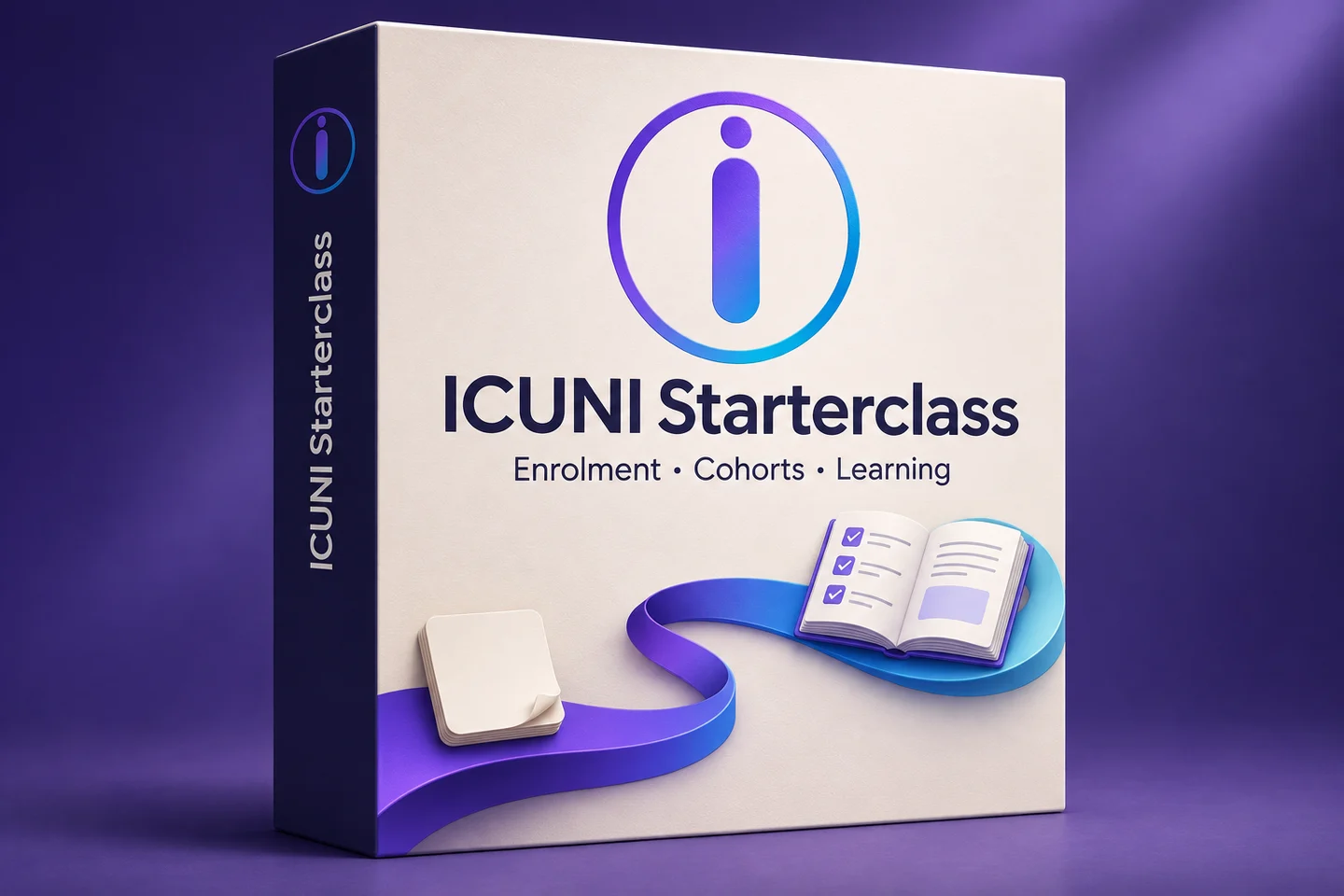
Starterclass gives a practical learning programme a practical home: find a class, bring a real task, register, follow the payment state and continue into the cohort workspace. It also gives the team running it the records needed to support that journey.
There is still room for an impressive AI demonstration. I would simply like Monday's procurement emails to get a speaking part.
This article describes implemented workflows.
Back to the story’s beginning ↑About the work
Designing the path from discovering a programme to taking part and continuing the learning.
An enrolment and cohort-learning platform for programme discovery, session registration, payment review, materials and assignments.
Design and technical decisions
Programme discovery leads through session registration, payment review and post-enrolment materials and assignments. Programme dates, prices and availability belong to the live learning system, rather than this portfolio record.