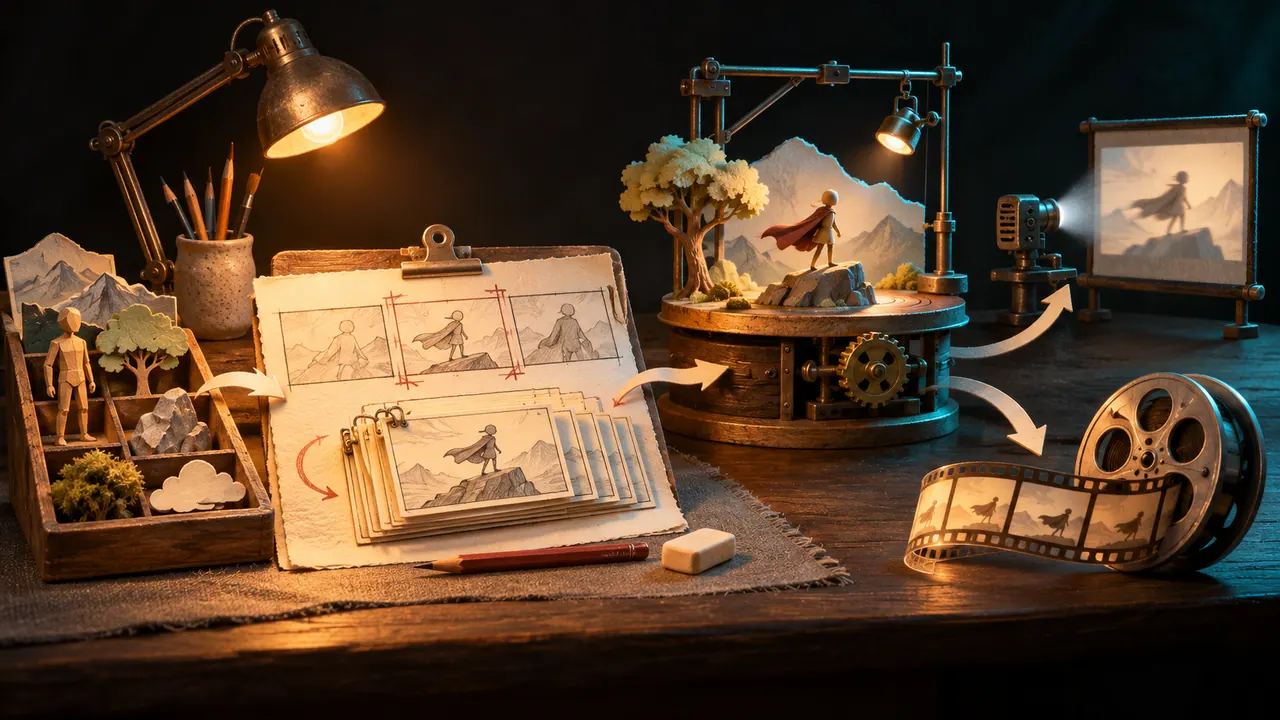
Creative Tools · ICUNI Labs
Storyboarder MCP + Motion Desk
Moving from a staged shot to a motion preview while retaining an editable storyboard.
The build story 9 minute read

Motion Desk: Try the Scene in 3D Before Committing to the Shoot
At a glance
- Purpose
- Moving from a staged shot to a motion preview while retaining an editable storyboard.
- The build
- An unofficial local Storyboarder bridge with asset discovery, explicit shot staging, revision-safe editing, 3D motion previews and editable native/video exports.
In this story
By Menelek Makonnen
Storyboarder MCP and Motion Desk help directors turn an explicit shot plan into editable 3D staging and timed previs they can inspect before a shoot. Arrange characters, props and cameras, scrub the movement and compare the result with what the scene is meant to communicate.
I built an unofficial local bridge around the installed Storyboarder 3.0.0 environment, with a companion Three.js studio for the staging and motion work. An assistant can supply a directing plan through typed operations; the browser gives the human a place to challenge it.
That is useful for a small scene whose camera, timing or blocking is still uncertain. Does the approach read? Does the gesture happen inside the frame? Does the pause actually feel like a reaction? I would rather discover the problem in previs than ask a crew to watch me invent a reason for it later.
A mannequin can reach every coordinate and still miss the dramatic point by several metres. The tool is there to make that difference visible. The bridge does not contain a hidden model turning keywords into cinema, and smooth movement has not been granted an acting qualification.
Give the plan something editable to stand on
The workflow starts with the installed catalog: body poses, hand poses, object definitions and known character proportions. The bridge checks the installed application identity and supported version before using that material. Those are upstream Storyboarder assets, not models I claim to have created. My contribution is the adapter and companion workflow that make them addressable through a consistent local contract.
A shot describes its characters, props, camera, action and duration. Stable shot identities and native board UIDs keep later changes attached to the same entities. Missing cameras can receive a default, but an active-camera reference must point to a real camera. A project with a beautifully spelled reference to an absent lens is still a project without a view.
For a directing instruction to survive the handoff, the tools need to agree on space. X and Y lie along the ground, Z is height, positions use metres and rotations use radians, with camera field of view in degrees. Props use Euler rotations; characters and cameras use scalar yaw. Those explicit conventions are what let “raise the camera” remain a camera choice rather than an accidental experimental film about the wrong axis.
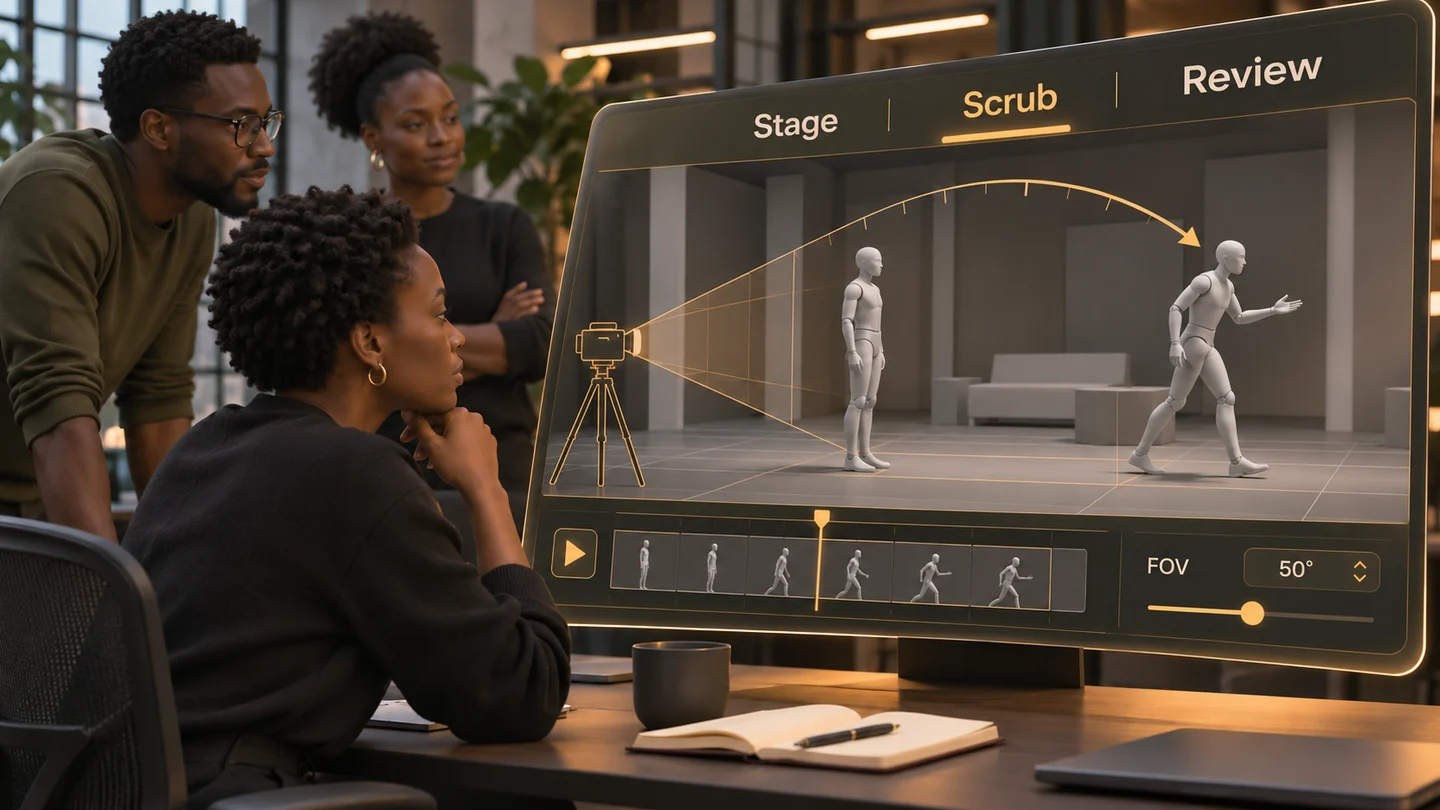
In Motion Desk, a sequence rail sits beside the central viewport and transport, with shot and staging controls on the right. The charcoal and olive surfaces, amber controls and restrained typography keep the scene prominent. I can select a shot, scrub or play it, edit action and dialogue, change duration, position an object, select a pose and adjust the lens. The interface is a working desk for previs, not an imitation of Storyboarder’s own live UI.
Motion makes the gaps visible
Animation tracks require known object identities and strictly increasing key times within the shot. Unspecified properties carry forward. Linear, smooth and hold interpolation allow different timing intentions; yaw takes the shorter angular route, and bone rotations interpolate through quaternions. The browser and exporter use the same sampling module, which helps keep the preview’s meaning aligned with the exported sequence.
That shared sampler is useful precisely because it has a defined scope. It is not a collision solver, inverse-kinematics system, gait engine or foot-lock system. Two poses can interpolate cleanly while a foot slides, a hand misses its prop or a body passes through something it should have respected. Smooth arithmetic does not confer physical judgment.
For a practical two-shot scene, I would stage a character approaching a table, stopping, then reacting to something outside frame. I can inspect the anticipation, approach, stop and reaction separately before worrying about polish. Does the silhouette read? Does the camera show the important gesture? Is the pause long enough to register the change? These are creative questions that become easier to answer when the sequence can be scrubbed rather than merely described.
The structural validator helps flag missing cameras, unsupported preview content, very short cuts, long impact beats and unannotated changes in screen direction. I use that as a review aid. It cannot certify choreography, contact, emotional clarity or finished appearance. A warning list can point toward a bad beat; an empty warning list cannot promote a bad beat to director.
Collaboration needs a revision number
An assistant and a person in the browser can work on the same sequence, so every edit carries an expected revision. The store locks the project, rereads current state and rejects a stale expectation. It applies changes to a clone, writes the prior complete version into immutable history and replaces the current project with an incremented revision. Shot ordering must contain each remaining shot exactly once.
This gives a useful, concrete outcome: if the assistant prepared an edit against yesterday’s view of the scene while I changed the staging, the stale edit fails visibly. It does not silently decide that the human’s latest camera position was an unfortunate clerical error. Restoring history creates a new current revision, preserving the intervening record rather than erasing the road back.
I keep the guarantee specific. This is revision conflict handling, not payload-bound replay of a previously accepted request. Repeating an old edit can conflict; it does not automatically return an earlier operation receipt. The file writer uses atomic replacement and Windows retry handling, but I do not borrow stronger crash-durability promises from another application with a different write path.
The browser retains unsaved shot text in an in-memory map while staging saves advance the revision reference. That lets a position adjustment coexist with a paragraph I am still composing. The continuity is useful within the session. Editing the story record also does not automatically rewrite the shot list. A new dramatic intention still needs a deliberate directing revision.
Preserve native material without pretending to render all of it
Native import creates a managed copy of a permitted .storyboarder project. It checks board identities, paths, timing and required media within bounded import roots, keeping copied media inside the source project’s allowed scope. The original stays separate. Unknown native metadata, drawing records and scene data can survive even where the companion viewport cannot display their full contents.
That is an important interoperability choice. A drawn board should not be discarded because a 3D companion has no way to recreate the drawing. A custom model or environment should not lose its metadata merely because the simplified preview cannot render it faithfully. Preserving information and displaying information are related but different responsibilities.
Native export samples the requested revision into timed boards: one per shot, per motion key or at a chosen sample rate, within its board limit. It writes editable scene objects, camera and sampled pose information alongside artwork and supporting images when enabled. The export also carries the complete companion motion project and a receipt naming the revision and output details.
The native result is a timed-board animatic. Continuous motion remains in the companion project. Sampled export also rejects attached native audio because that requires a separate synchronization workflow. A precise refusal protects more value than a cheerful export which quietly loses its timing contract.
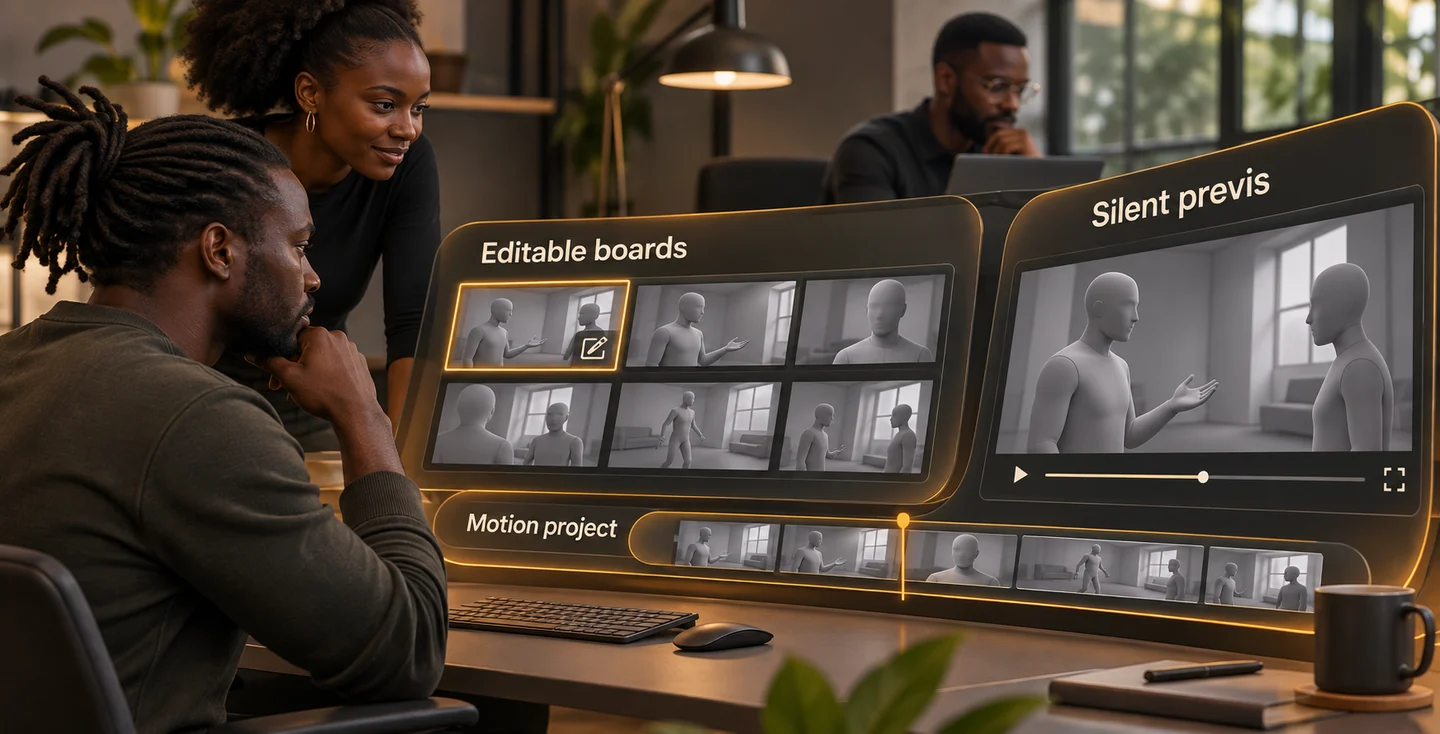
Native boards, continuous companion motion and a silent video are distinct outputs.
Export the revision, then inspect the result
Video export uses an immutable project snapshot, renders it through the companion browser and encodes a silent H.264 previs movie. The receipt explicitly distinguishes this from final-film quality. A later scene edit should not change the middle of an already admitted export simply because the browser happened to be rendering that frame at the time.
Exports are asynchronous jobs with queued, running and terminal states. A shared render lock admits one owner; contention can fail as busy rather than becoming an invisible promise that everything will eventually complete. Cancellation first requests cancellation, then the owner must unwind browser and encoder work. A job identifier is useful for tracking that process, but it is not the finished video.
The local studio also has its own access boundaries: loopback binding, checked host and request origin, a per-instance browser session and bounded serving of managed assets. Rendering uses a dedicated browser profile rather than attaching itself to everyday browsing. These decisions keep the companion focused on its workspace. They do not turn a source-described boundary into a current security acceptance result.
Most importantly, even a decodable MP4 still needs visual review. Framing, eye-lines, foot contact, readable gestures and continuity belong in actual frames. The whole purpose of previs is to make those decisions inspectable before the cost of changing them grows.
What I built around the renderer
Node.js, the MCP SDK, typed validation, a local HTTP studio, Three.js and asynchronous media jobs meet around the same sequence identity and revision. The benefit is practical when I am directing with an assistant: the plan it changes, the scene I inspect and the export I receive can refer to the same material. That agreement matters more than the number of tools listed in the setup.
It also reinforced a creative lesson I care about. A tool should make poor staging easier to see, not bury it beneath the confidence of its automation. Clear interpolation rules, preserved native data and explicit conflict responses give a director something dependable to challenge. They leave room for judgment instead of trying to replace it with a status badge.
Header mark: S/ typography. Storyboarder branding and assets: the upstream Storyboarder project.
Let the scene earn its movement
Motion Desk gives a director something concrete to question: an editable local sequence that can be staged, revised, sampled into native boards and exported as silent previs. The unofficial bridge preserves the upstream asset credit and keeps the companion's continuous motion distinct from timed-board interchange.
Building it sharpened how I connect creative intent to exact tools. Good coordinates make a plan repeatable; visual inspection tells me whether repeating it is worth the trouble.
If the mannequin reaches the right place and the moment still feels wrong, I want to discover why. Commuting is a start. A scene deserves a dramatic reason for the journey.
Back to the story’s beginning ↑Project details
An unofficial local Storyboarder bridge with asset discovery, explicit shot staging, revision-safe editing, 3D motion previews and editable native/video exports.
Inside the workflow
An unofficial local Storyboarder bridge with asset discovery, explicit shot staging, revision-safe editing, 3D motion previews and editable native/video exports.
Have something in mind?
Bring the problem, the audience and what you want to make possible.
Discuss your project