
Creative Tools · ICUNI Labs
Orchestra Pro
An experimental filmmaking desk for moving between media, scenes and assembly.
The build story 9 minute read

Orchestra Pro: Give a Film Idea a Place to Become Scenes and Assets
At a glance
- Purpose
- An experimental filmmaking desk for moving between media, scenes and assembly.
- The build
- Media indexing and story planning connect scenes, provider adapters and local image execution in one filmmaking workspace.
In this story
By Menelek Makonnen · ICUNI Labs
Orchestra Pro is my filmmaking-workspace workspace for bringing references, editable scene intentions and generated candidates into one project. It explores the route from a story idea to scene-sized requests and selected assets, with a substantive local-image adapter inside that broader design.
The intended user is a filmmaker assembling material across writing, references and generation tools. I want to see what a scene is trying to do, revise its place in the story and keep its resulting assets connected to that decision. Otherwise a film begins as a paragraph and ends as a folder in which every file believes it is the main character.
I built the workspace to investigate those connections. Reference indexing, scene editing and local-image process integration provide real components to connect; the overall save, generation and assembly path is unfinished. It would be misleading to present it as an end-to-end studio today.
It is also a distinct nested project, rather than a verified upgrade release of Orchestra. I am developing the reference, scene and generation pieces toward that shared filmmaking purpose, with the unfinished joins kept explicit. The word “Pro” has not been granted planning permission to skip them.
Give the project a physical home
Project creation asks for a name and parent directory, refuses an existing destination and creates an .opf folder with separate story, ingest, generated, selection, assembly and export areas. A project.json document holds the main project representation.
That layout makes the intended lifecycle concrete. References, generated work and chosen work are different things. The project should have a place for each instead of treating the exports directory as a filing cabinet for every intermediate thought.
Ingest indexes supported media references from chosen files or folders. It records paths, types, source-folder labels, sizes and creation-time information, and deduplicates exact paths. The source media is not automatically copied into the project.
For a filmmaker collecting visual references, that gives the planner a navigable inventory. Path and type search can narrow the set before the story work begins. Indexing remains a reference operation; it does not imply content hashing, duration probing, transcription or visual understanding.
Put scene intentions where they can be edited
A filmmaker needs to be able to change the story before requesting more assets. Planner turns story text into editable, reorderable scenes, with a route to a shot specification containing prompt, duration and aspect. That makes the scene the unit of discussion, instead of treating a whole film as one enormous generation request.
The intended creative loop is practical: turn an idea into scene-sized questions, revise their order and decide which visual request belongs to each. That is more useful than sending one enormous paragraph to a provider and hoping the result discovers a workable shooting plan.
StoryBreaker has a configured Gemini analysis path and a paragraph-based fallback. The fallback makes draft scenes with generic planning fields; the separate storyPlan route remains paragraph-based demo planning. Those are different behaviours, and I do not present every scene card as evidence of model analysis or grounded reference understanding.
The planner’s value is the editable scene vocabulary and its relationship to later requests. It makes the filmmaker’s decisions inspectable before the generation layer is allowed to turn them into bytes.
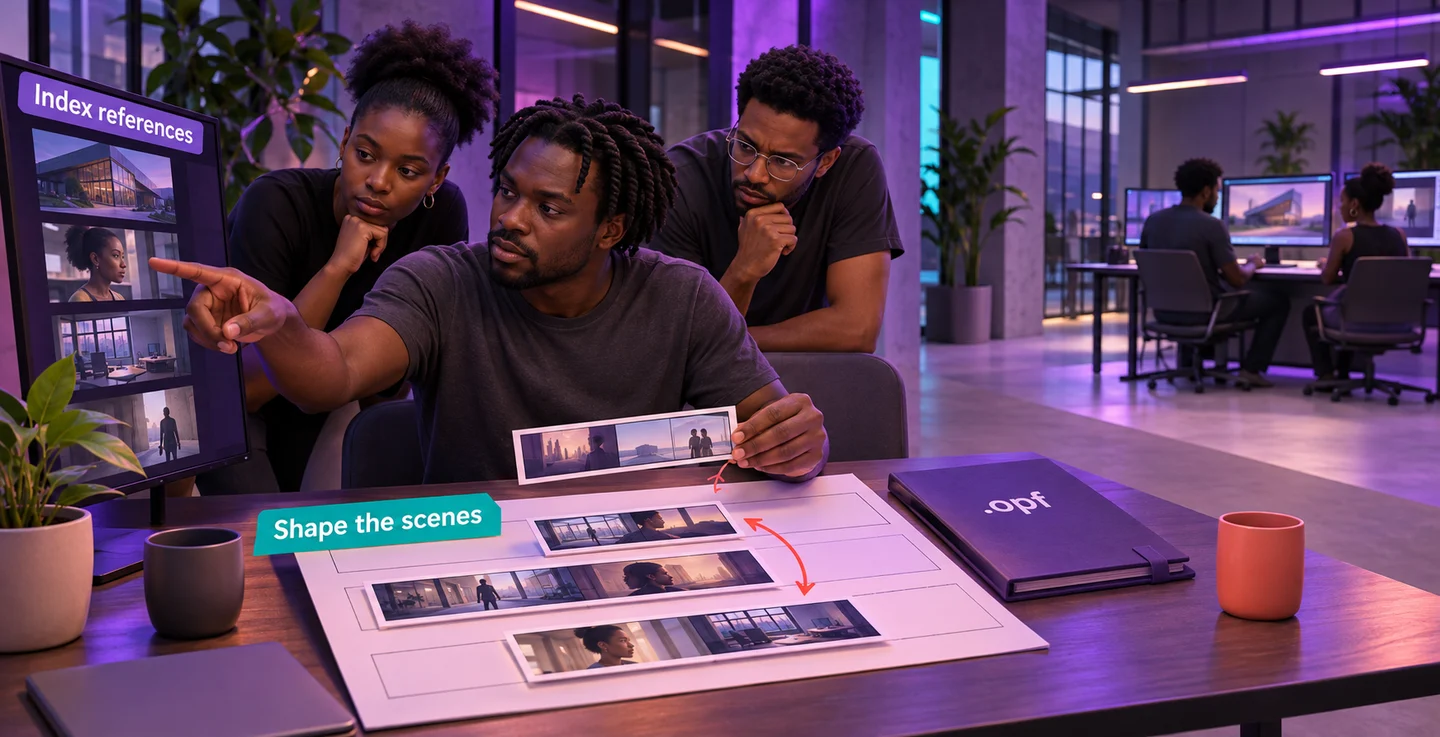
Project and planning workspace: index references and shape scene intentions.
Make the specification reach the worker
I treat that as a contract to complete, not a successful automatic-directing feature. The scene shown in the planner needs the same identity and content all the way to the provider request. Otherwise the interface and worker are performing different versions of the production.
Provider selection has a similar distinction. The registry contains a capability-scoring method, while the actual orchestrator uses preferred or first-available selection in registration order. The richer catalog does not make the active route capability-aware by association.
That lesson is central to the workspace: a modular system needs one authoritative representation at its joins. A class with an excellent method is still just a class if the active workflow never calls that method.
Build a concrete local-image adapter
For local image experimentation, the adapter does the preparation that otherwise sits outside the creative workspace: select platform assets, manage binaries and model files, resume partial downloads and handle optional encoders or VAE material. Model and aspect choices map into dimensions and command arguments. The creator can work with an explicit request while the adapter handles the surrounding process lifecycle.
Sampling settings include steps, guidance, sampler, negative prompt and seed. The engine launches a child process with an argument vector, parses streamed progress and reports a startup heartbeat before sampling begins. Failure returns relevant process-output context.
A successful route requires a PNG output path. The adapter reads the candidate and returns it with metadata, with temporary output handled by the engine/provider boundary. That is a substantial integration lifecycle around an existing inference tool.
It is useful for a creator who wants local image experimentation to participate in the same workspace as scene planning. The adapter gives the request an executable form and progress semantics, while the actual image still needs inspection.
There are current limits to complete: readiness checks use file presence rather than content digests; a zero seed meets a truthiness branch; and overlapping calls can overwrite one mutable process-ownership slot. Visible settings do not yet expose the model-management interface that some errors refer to.
Those specifics define the work ahead without erasing the implemented component. Managing model assets, process arguments, startup progress and candidate output is real engineering; reliable admission and ownership need to finish the same story.
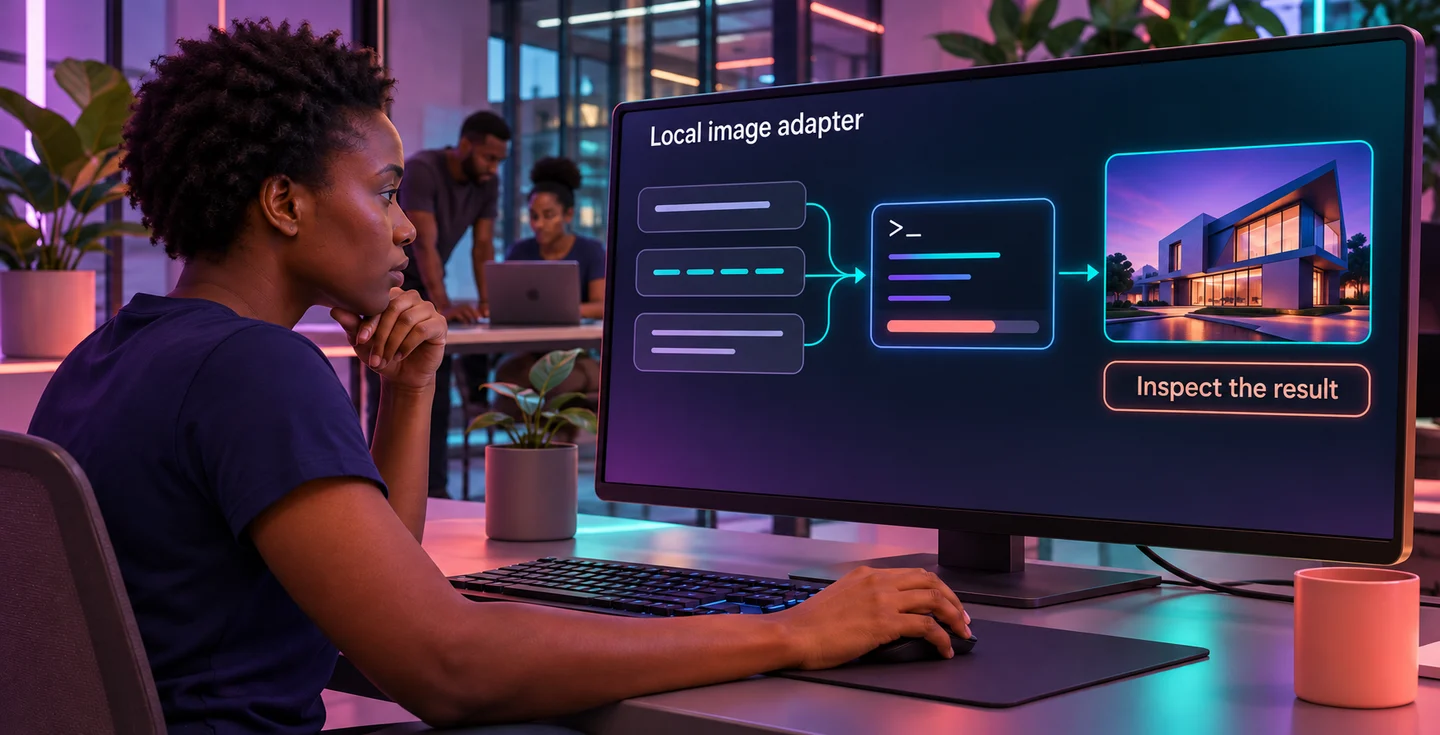
Local-image adapter: deliberate input, upstream inference process and candidate inspection.
Keep worker scaffolds distinct from working inference
The bundled Vishin and D2R sidecars have their own request models and in-memory queues. Their submission records do not contain a demonstrated inference consumer in this implementation.
Their snake_case contracts also differ from the TypeScript local-provider expectations. The independent Vishin project’s newer worker and durable-job work does not automatically appear in these bundled copies. Shared names are lineage to investigate, not a dependency update strategy.
The cloud and browser-arm adapters are separate again. They map requests and poll results, with a possible remote URL returned when local downloading fails. A result path therefore needs a clear local/remote distinction before assembly treats it as a readable file.
The queue has concurrency, progress and retry mechanisms, but it is memory-only. Cancellation does not reach the provider’s generation call in the current path, so a late result can outlive the local cancelled state. Provider fallback also needs an explicit decision boundary when it changes cost or prompt-sharing scope.
Let assembly own the actual assets
The gallery can select generated assets and add assembly clips with trim, speed and position. Reordering recalculates cumulative duration, and transitions have a place in state.
The next join needs a project-owned asset resolver. The assembly stores an asset identity while the FFmpeg worker treats that field as a filesystem input. Resolving identity to a verified local source is the necessary bridge between the two.
The current export graph trims, adjusts speed, scales and concatenates video. It does not implement the stored transitions or an audio mix. The XML button also needs routing to the separate XML exporter rather than the shared video-export handler.
That gives the completion work a concrete direction: carry the exact asset, choose the correct export contract and validate the resulting artifact. The assembly interface is a planning surface, rather than evidence of an accepted film export.
Make saved state one project
Renderer planning and assembly stores currently maintain their own state, while the save command writes the main process’s current project object.
I want the project boundary to carry the same decisions that the user can see. A useful autosave needs more than a timer: the changed data must mark itself dirty and reach the authoritative project representation.
The interface work already gives those decisions a coherent home. A genuinely resizable persistent navigation rail, module transitions, midnight violet/teal/coral tokens and a focus-aware procedural starfield support a filmmaking vocabulary. Those are implemented interaction choices, separate from the engine joins.
What the workspace made clear
I built Orchestra Pro with Electron, React, TypeScript and Zustand, separating project management, planning, providers, process ownership and export services. The lesson was that architecture creates useful places for behaviour, while contracts make those places work together.
My strength here is both the breadth of the workspace and the ability to name the missing joins precisely. A film’s scene intention, generation request, local asset and assembly clip should remain connected by identity rather than by optimism.
Connect the cast of files
My next responsibility is to carry the same scene specification, asset identity and saved state through every join. That is where a set of modules becomes a workspace a person can rely on.
The files can each have a role. I am building the connections that let them belong to the same film.
Back to the story’s beginning ↑
Project details
A prototype with media indexing, story/scene planning, provider adapters and local image execution. End-to-end assembly and export wiring remains incomplete.
Part of the Orchestra family. Related versions and implementations have their own entries.
Design and technical decisions
Media indexing and story planning connect scenes, provider adapters and local image execution in one filmmaking workspace.
Inside the workflow
A prototype with media indexing, story/scene planning, provider adapters and local image execution. End-to-end assembly and export wiring remains incomplete.
Related work
Have something in mind?
Bring the problem, the audience and what you want to make possible.
Discuss your project