 Software
Orbit
Creative Tools · ICUNI Labs
The builder’s companion. Keep prompts, IDE conversations, projects and development sessions together, with AI entirely optional.
The build story 9 minute read

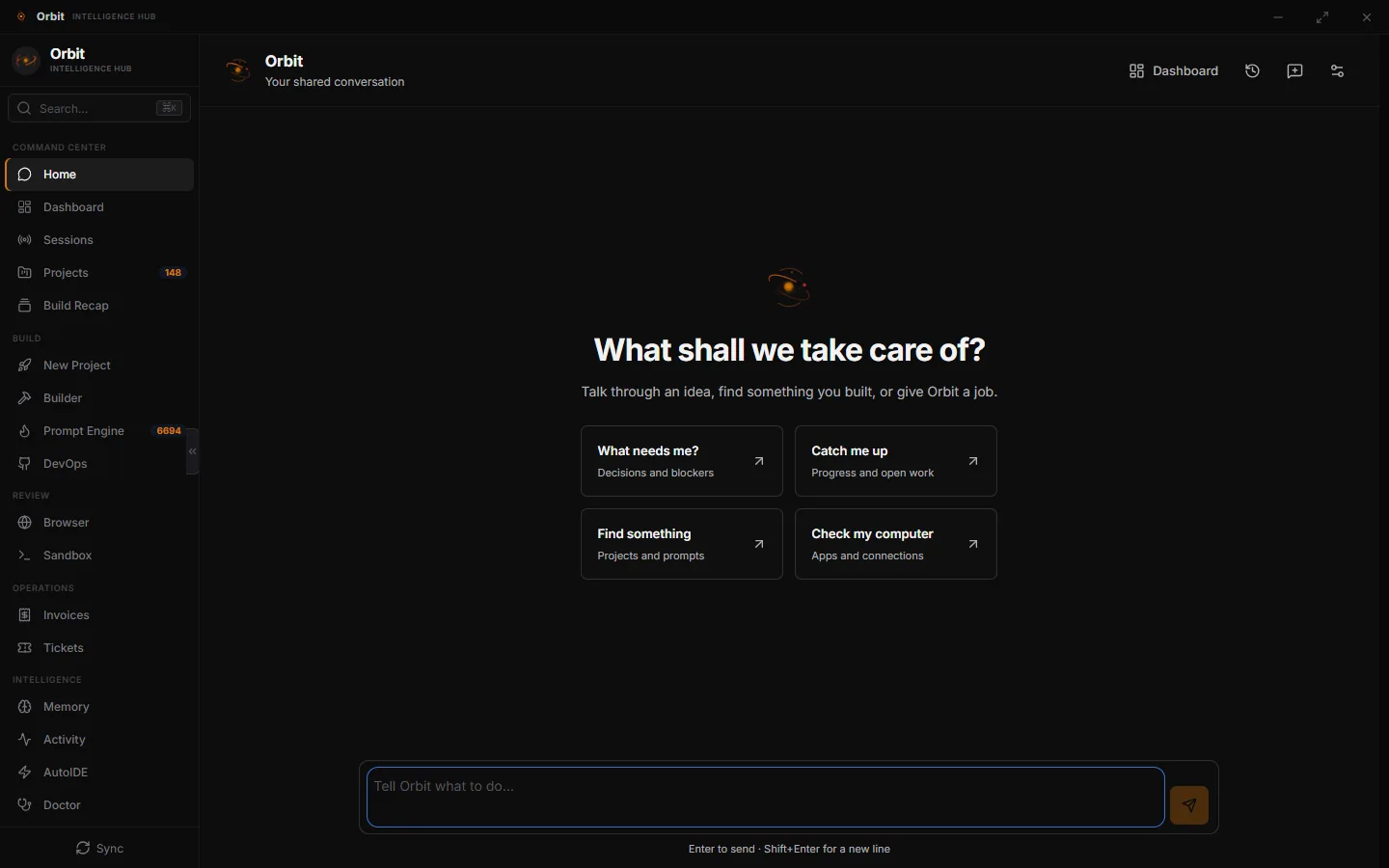
Orbit: A Home for Your Projects, Prompts and Building History
At a glance
- Purpose
- The builder’s companion. Keep prompts, IDE conversations, projects and development sessions together, with AI entirely optional.
- The build
- A DevOps workspace for prompts, IDE conversations, projects and local app sessions. Connect GitHub, Vercel and Google Apps Script; work with or without AI.
In this story
By Menelek Makonnen · ICUNI Labs
Keep the work connected, even when your tools, conversations and attention have other plans.
Orbit is a companion for people who build software. It brings your projects, development tools, reusable prompts and building history into one desktop workspace, so you can return to a build and understand where you left it. You can work in your preferred IDE, direct an AI coding tool or use Orbit's optional editor. The point is to keep the work connected as you move between them.
A project rarely lives in just its source folder. Its reasoning might be in an IDE conversation. The useful prompt is in another conversation. A document explains a decision you have since forgotten making. GitHub holds the repository, Vercel holds the deployment, and your memory has filed the whole thing under “I'll definitely remember this.” An ambitious filing system. Terrible retrieval rate.
I built Orbit to bring those pieces into the same working picture. Finding the code is useful. Finding the thinking that explains the code is what helps you start again without performing an archaeological dig through your own intentions.
Pick up the work without rebuilding the context
Orbit reads supported local IDE conversation records and brings that history alongside the projects it belongs to. Its conversation workspace makes discussions searchable, with source labels and message history. Project discovery gives you a way to find the build itself; related records help explain how it evolved.
For someone building across several tools, that continuity is the main benefit. You can follow an earlier discussion, revisit a decision and carry useful context into your next working session. You still need to judge what remains relevant. An old conversation can explain an intention without proving that every requested change happened.
That distinction makes the archive more useful. A confident assistant once saying “fixed” is part of the history. The changed files and working result tell you whether it earned the past tense.
Why continuity became personal
In February, I lost applications I had built. Orbit did not recover those deleted applications, and I will not dress it up as a recovery tool. Losing the files made another kind of value painfully clear: the conversations around a build can still contain traces of its design, decisions and development.
Those traces are not a substitute for a backup. They can, however, help reconnect the thinking with surviving projects and the work you rebuild. A forgotten discussion may explain the structure you were aiming for or a problem you had already spent time understanding.
That is part of what Orbit means to me. Building produces more than code. It produces understanding, and that understanding deserves somewhere better to live than a scrollback you remember approximately and can locate never.
Keep the instructions that actually help you build
When a prompt works well, I want to reuse the useful part without copying an entire conversation and its accumulated emotional damage.
Orbit's Prompt Library supports that process. It brings together captured prompts, reusable fragments, saved groups and a conversation archive. You can search instructions, mark useful fragments, combine them into groups and adapt them for another task. The learning view helps you examine recurring patterns in how you direct work.
For a developer, that might mean keeping a reliable review brief or a familiar project setup instruction. For someone building by directing AI, it might mean learning how to describe a change clearly, preserve constraints and ask for a result they can actually check. The reusable value is the instruction you understand and can adapt.
New Project Setup carries that idea into the next build. You can begin from a scaffold, selected templates and features, or a clone, retaining a build specification with the prepared workspace. Instead of starting with an empty folder and a heroic burst of optimism, you begin with reusable structure and a recorded purpose.
Behind that convenience, preparation happens in staging and refuses a non-empty destination. That matters because a new-project helper should help you start something, rather than quietly turning an existing project into the sacrifice required to summon it.
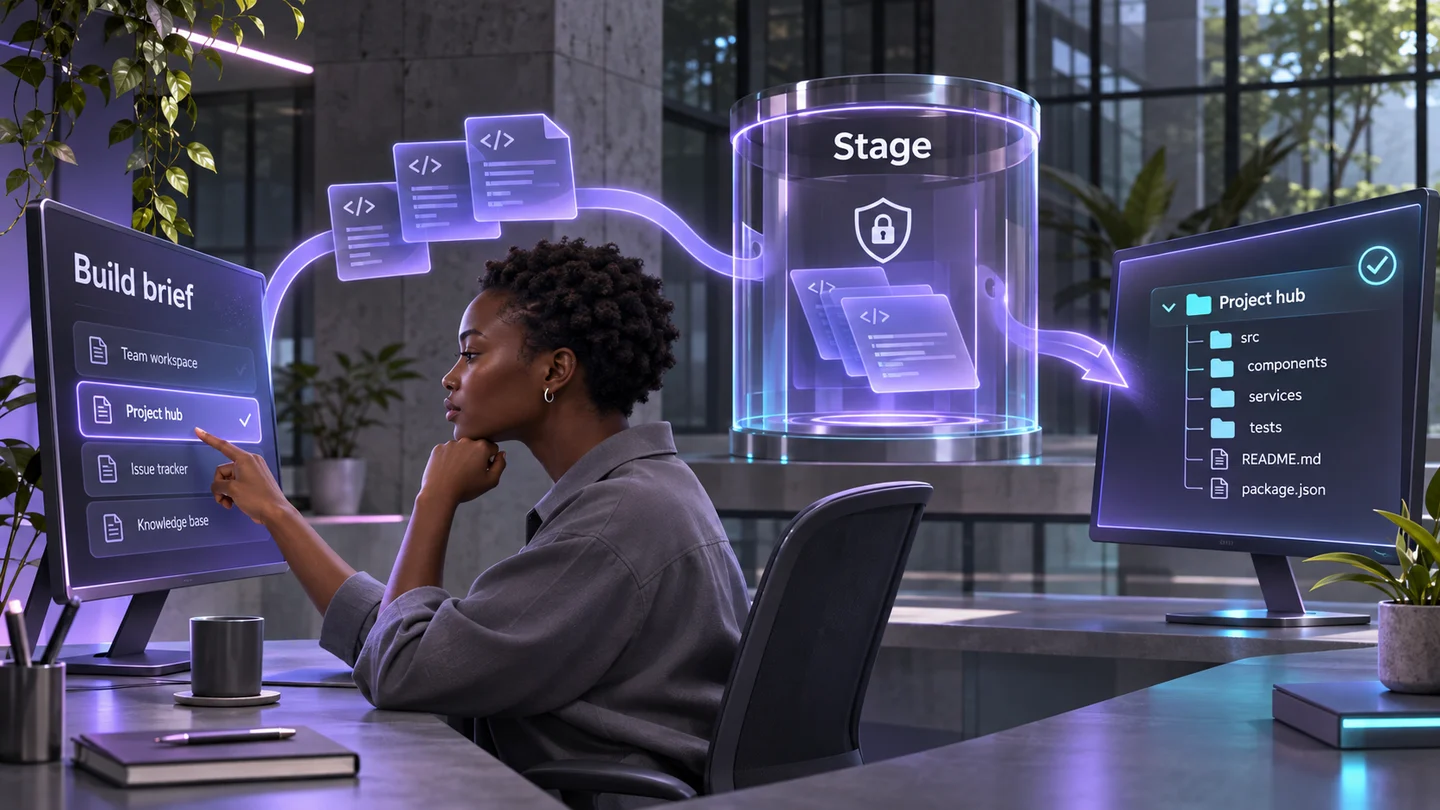
Start with reusable material and a defined purpose, then prepare a workspace for the next build.
Find the build, run it and see it
Orbit's Projects workspace gives you search, filters, technology and division facets, saved views and project details. When your portfolio grows, those are practical navigation tools: find the application you mean, locate its actual checkout and see the information attached to it.
You can also manage declared project operations and local development activity from the workspace. A JavaScript application's package scripts and a Rust project's executable targets need different launch details. Orbit inspects the project's available operations so you can select the appropriate one and review its working directory and arguments.
The benefit is fewer loose terminals and fewer rounds of “which copy did I just start?” Running activity remains visible alongside the work it belongs to. A process starting still needs a readiness check before you rely on the application; a listening server can have problems of its own. Software is impressively capable of arriving at work while accomplishing nothing. I try not to take that personally.
The built-in browser brings project endpoints into reach, including configured Vercel and Google Apps Script systems. Its vault panel keeps credential management nearby for the builds you manage.
Orbit also includes a Sandbox with a station and a separate disposable browser session. It provides a place for contained experiments and local previews, subject to the configured execution environment. I want experimentation to have somewhere deliberate to happen, rather than defaulting to whichever terminal currently looks least threatening.
Keep GitHub, Vercel and Apps Script in the picture
Local files are only part of a software project's life. The repository may be on GitHub, the web application on Vercel and an operational system in Google Apps Script. Orbit brings those services into the same workspace as the local project, where the relevant integrations are configured.
That helps a builder follow the relationship between source, deployment and the system they actually use. It also helps when preparing a new project: optional service steps remain identifiable alongside local preparation. A local workspace can be ready even if a remote provisioning step needs attention.
I care about that separation because it preserves useful progress. If an integration fails, I want to see what succeeded, what remains and where to continue. “Something went wrong” is technically a status. It is also the software equivalent of leaving a body at reception with no forwarding address.
Build Recap adds another perspective. You can choose a period and review the recorded work and visual presentation associated with your builds. It helps answer a question that gets surprisingly difficult during a busy stretch: what did I actually move forward? Its value depends on the records and visual evidence available; it does not turn activity into proof of completion by wishing harder.
Use your tools, keep your authority
Orbit's own IDE is optional. I built it to sit alongside the tools a builder already uses, with bridges for connecting more of that setup. Tools such as Cowork can participate through the supported bridges; AI coding tools can interact through MCP. Telegram provides another communication route when configured.
Those connections are ways into the workspace. They do not make every tool interchangeable or every action automatically authorised. The useful arrangement is being able to bring context and requests into the same system while remaining clear about who is directing the work.
Orbit's assistant separates read-only Chat from Work that can request operations. Consequential actions have decision points, and destructive actions cannot be self-authorised through accumulated trust. Operation previews and receipts help you see what was proposed and what happened.
These details serve a human purpose: you should be able to ask for help without surrendering control of your machine. If you return through Telegram or move from one coding tool to another, the project and its boundaries should still matter.
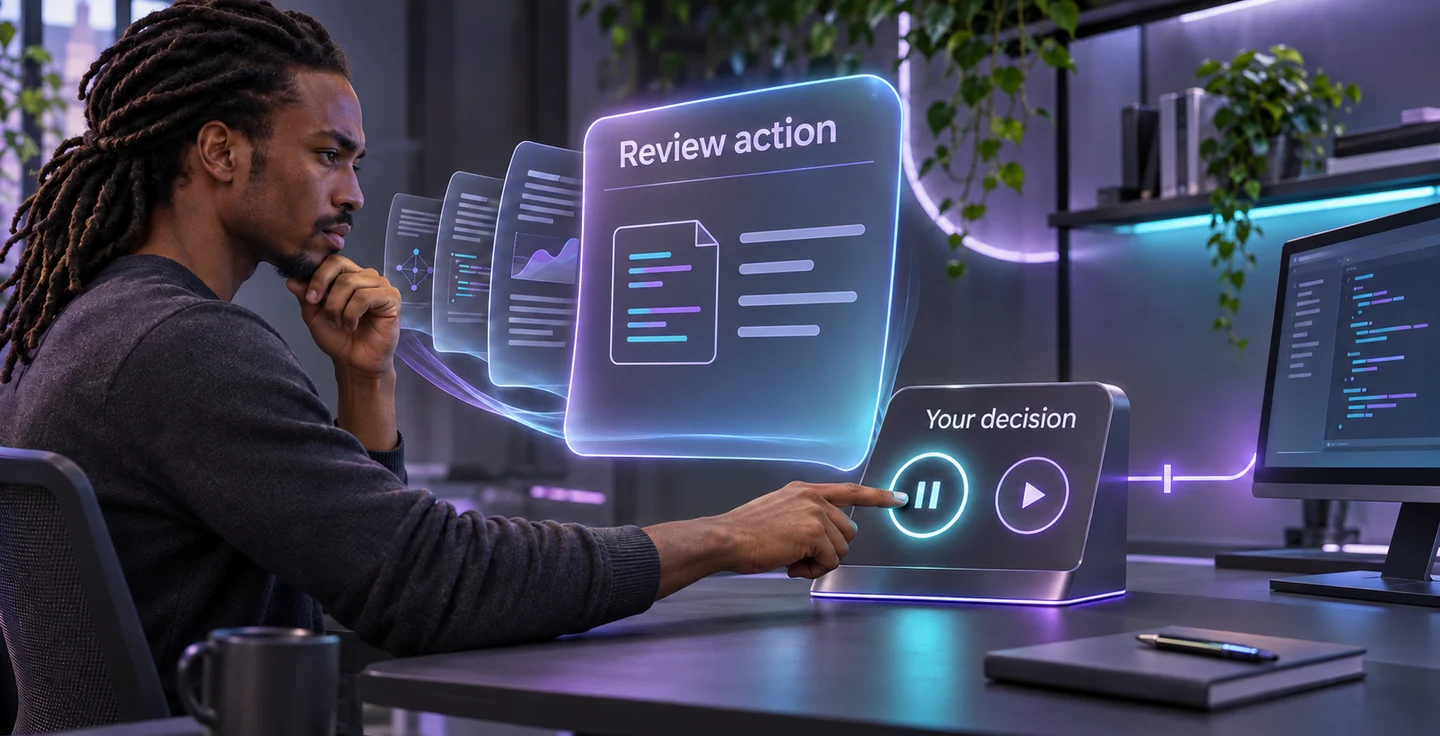
Bring context into a conversation, review proposed work and retain the decision over consequential actions.
The core does not need AI to be useful
Orbit's foundation is organising and connecting a builder's work. Finding projects, revisiting captured conversations, keeping prompts and navigating recorded activity do not require an AI model to supply their basic value.
Optional local and remote models can add assistance. That introduces configuration, readiness and resource considerations, so a provider appearing in a catalogue is not the same as a working model. You can use the underlying workspace without making a model the entry fee.
For experienced developers, Orbit can help manage a growing collection of repositories, environments and decisions. For people building through AI coding tools, it can help preserve the context that otherwise disappears between chats. Both still need to understand their goals and inspect the results. Orbit gives that work a home.
What building Orbit has taught me
The desktop application uses Electron and Node.js around a React and TypeScript interface, with local SQLite storage for durable records. Those choices support a workspace close to local files, processes and supported IDE records, while keeping the interface separate from privileged operations.
The harder design work is in the connections: keeping a conversation attached to its project, turning reusable setup information into prepared files, connecting a service to the right build and making an action understandable before it runs. Individually, each feature can look straightforward. Connecting them without losing the person's intention is where the engineering lives.
Project Lens reflects that lesson by bringing decisions, artifacts, debt, supporting evidence and acceptance gates into a project-specific view. It helps you inspect why you should trust a result and where something still needs attention. Unknown and stale records remain useful information when they are labelled honestly.

Follow a project's work into its supporting records, with unanswered questions still visible.
I have learned to value continuity that survives an interruption. A beautiful dashboard is pleasant. Returning to a difficult build and finding enough context to make the next good decision is considerably more useful. That is the standard I want Orbit to meet.
Come back to the work, not the wreckage
Orbit is a home for the building process: projects, tools, prompts, conversations and the history connecting them. It helps you find your bearings, reuse what you have learned and continue across tools without treating every return as a fresh start.
I cannot make my memory a reliable filing system. The board has reviewed that proposal and declined further investment. I can build a workspace that keeps more of the context within reach, so the next session begins with understanding rather than excavation.
That is what Orbit is for. The builder keeps directing the work. The companion helps keep it together.
Back to the story’s beginning ↑
About the work
The builder’s companion. Keep prompts, IDE conversations, projects and development sessions together, with AI entirely optional.
A DevOps workspace for prompts, IDE conversations, projects and local app sessions. Connect GitHub, Vercel and Google Apps Script; work with or without AI.
Save and splice prompts, keep IDE conversations and learn from building patterns.
Manage projects, local apps and development sessions in one workspace.
Use an optional built-in IDE, connect external IDEs, interact through Telegram or use compatible MCP tools. Lightweight models are optional.
In the product
- Save and splice prompts, keep IDE conversations and learn from building patterns.
- Manage projects, local apps and development sessions in one workspace.
- Use an optional built-in IDE, connect external IDEs, interact through Telegram or use compatible MCP tools. Lightweight models are optional.
Connected work
Software
Orchestra
A production control room for the long journey between an idea and a prepared release.