Creative Tools · ICUNI Labs
MMMedia Darkroom
A digital darkroom for finding, curating and developing a personal media collection.
The build story 8 minute read

MMMedia Darkroom: Find the Good Material and Turn It into Something
At a glance
- Purpose
- A digital darkroom for finding, curating and developing a personal media collection.
- The build
- Folder scanning and curation feed non-destructive still-image development and trailer sequencing. Editable local projects can export through FFmpeg without treating source files as disposable.
In this story
By Menelek Makonnen · ICUNI Labs
MMMedia Darkroom helps photographers and filmmakers turn a mixed folder of photos and clips into considered creative work. Browse and rate the material, develop a supported still without overwriting its source, or assemble selected footage into a trailer draft that can become an editable project.
A shoot rarely ends with a perfectly organised collection announcing its best moments. It ends with near-duplicates, promising takes and several filenames apparently chosen by a microwave. I built Darkroom to make the first useful decision easier: what is worth my attention?
From there, the workflow can follow the material. A photograph needs tonal work and a crop. A campaign needs a short reel. A good generated preview needs somewhere to continue as an edit. The library, Develop workspace and trailer route keep those stages connected.
That is the product's value for me: less repeated hunting between modes and more continuity from selection to deliberate work. The warm safelight palette gives the media room to be the interesting part.
Let the library become a set of choices
I begin with a folder grant through the browser or desktop directory flow. Darkroom scans the selected material into a catalog and exposes folder, type, metadata and rating controls around it.
The interface has a top mode bar, adjustable folder and information rails, and immersive views that can hide those rails. Grid and Gallery support different browsing needs; the point is to get from an undifferentiated collection to a deliberate selection.
For a mixed shoot, I can include or exclude folders, narrow to photographs or video, search, sort by ordered metadata keys and mark favourites or ratings. A later pass can start from those decisions rather than repeat the same hunt from scratch.
Gallery adds collection, stack, people and subject filters around the catalog. Those controls help organise the library’s available metadata.
Keyboard actions support recurring work such as ratings, movie mode, fullscreen and the selection drawer, while editable fields are guarded. Small interactions matter when curation involves many repeated decisions. A rating should take less effort than composing a brief resignation letter to the folder.
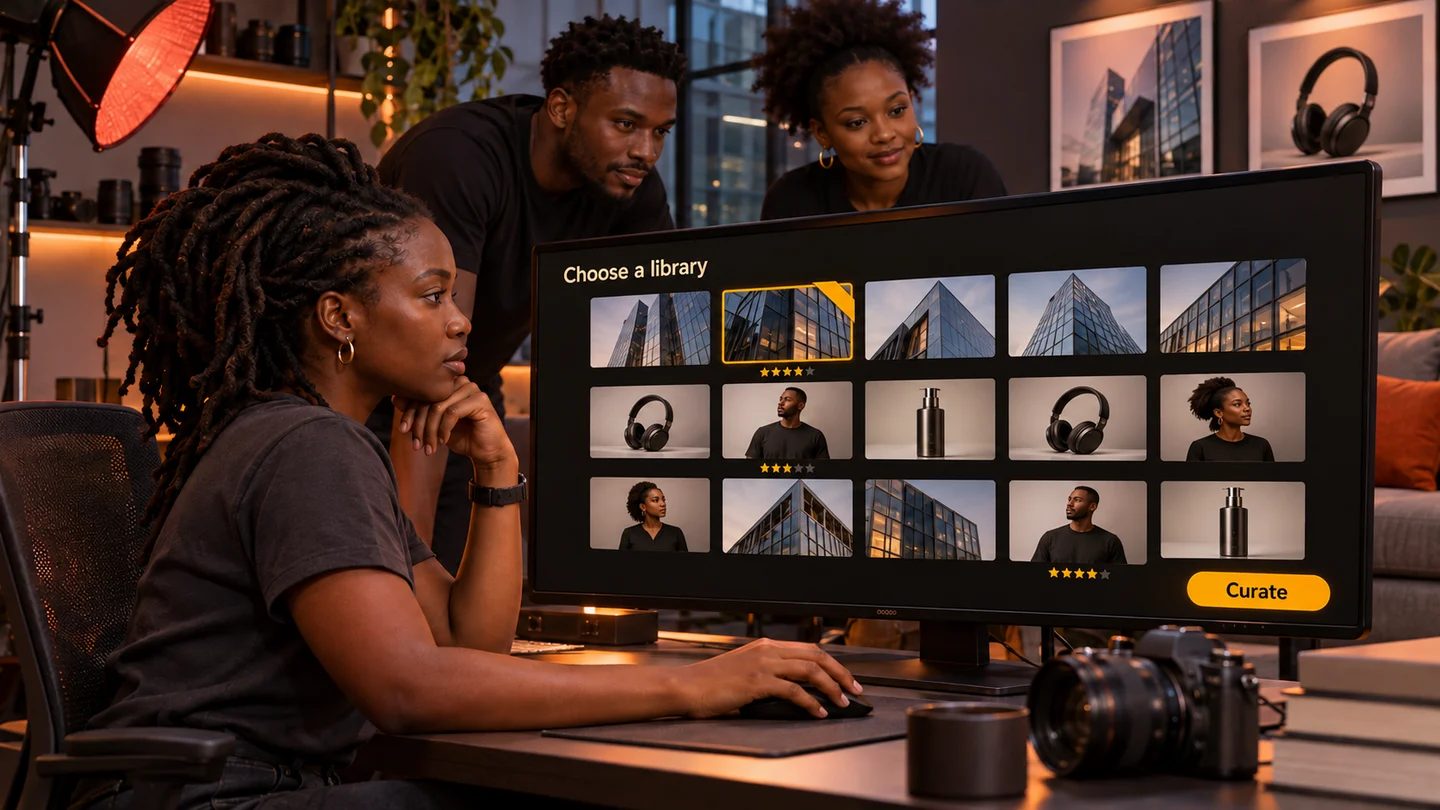
Library curation: choose a folder and turn available media into a considered selection.
Keep a scan from becoming yesterday’s news
Darkroom uses React and JavaScript for the interface, Zustand stores for working state and Electron for desktop integrations. Its catalog can use a native scanner, with a browser worker fallback when that route is unavailable or fails.
When I change the library, I want to see the folder I selected now, not delayed discoveries from the previous one. Each scan has a generation identity, with native batches buffered and published incrementally so stale events cannot repopulate the new collection. The implementation supports a very ordinary expectation: the shelf should contain the books I just asked for.
The desktop boundary validates approved roots and resolved paths before reading through the native scanner. Folder approval comes from recognised selection flows, rather than an arbitrary renderer path becoming permission to read anywhere.
Browser folder handles can be retained through IndexedDB, with permission checked again when restoring them. A remembered folder and a current read grant are different states. Darkroom should ask the browser the second question instead of relying on the warmth of the first memory.
The originals remain where they are. Metadata, preferences and working documents are persisted separately. Curation should improve how I navigate the material without requiring the app to reorganise the source folder as an unexpected side effect.
Develop a still around its source
Exposure, contrast, highlights, shadows, curves, colour and detail controls sit alongside crop and transform work. The document model also describes layers, masks and selections. That gives the workspace a way to retain editing decisions instead of repeatedly baking them into the original file.
The distinction between drafting and committing is important during slider work. While I drag, the UI can show a draft preview. Releasing commits a typed operation and an appropriate history snapshot. One adjustment should not require twenty-seven undos because my hand passed through twenty-seven intermediate values.
For a product photograph, that creates a clear loop: inspect the source, change the tonal balance, adjust the crop, compare and undo if necessary. For an image revisited later, the document gives the edits somewhere to live beyond the immediate session.
Large raster payloads are kept separately from the photo document. That keeps the history and document structure from becoming an indiscriminate pile of full-resolution images. Cache hydration still has to handle missing payloads, and source watching can flag an original that has changed or disappeared.
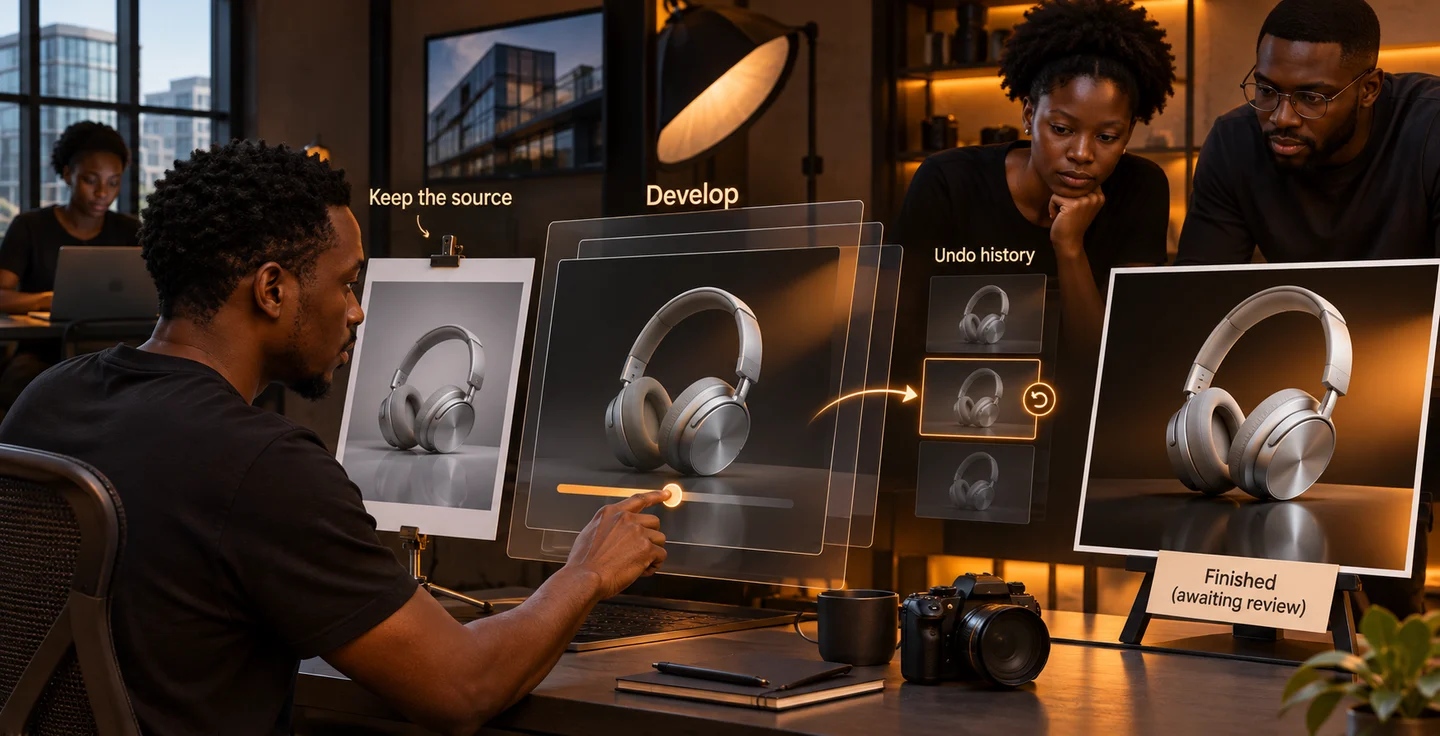
Photo Develop: keep source identity separate from the editable operations and reviewed output.
Export the image with the format’s limits intact
Browser photo export reconstructs a canvas and encodes supported JPEG, PNG or WebP output. The desktop path can keep RAW bytes outside the renderer while returning bounded preview information.
Native TIFF and PSD routes have narrower supported projections. I do not treat their existence as a promise that every editable operation survives every interchange. A useful format option needs an equally useful account of what it carries.
That is a broader design principle in Darkroom: source identity, editable state and rendered output are related, but they are not interchangeable. A source watcher can identify a stale original; an export needs to make a deliberate decision about that state rather than quietly use whichever pixels happen to remain in memory.
For a photographer returning to a product image, that retained document is the real benefit. I can continue a tonal or crop decision instead of treating every session as a new flattened image. The document, source identity and history make Develop a continuing place to work, rather than a temporary adjustment window.
Turn selected footage into a draft cut
The trailer workflow begins with a folder or active clip selection. Orientation filtering narrows the pool, and clips with unknown dimensions are excluded when a specific orientation is required. “My Taste” uses preference signals to rank candidates where those rankings exist.
I can add an audio guide, inspect waveform or beat information and configure duration, energy, pacing, effects and transitions. God Mode assembles local rule presets with controlled randomness. It is not a remote model inventing an edit behind the interface.
That distinction is useful creatively. I can ask for a different combination of registered behaviours while still understanding the available ingredients. Shuffle changes order; Flux reruns generation against unique source paths. The resulting preview gives me something to judge.
The core sequence generator is shared with sibling MMMedia Pro through an explicit source alias. Darkroom adds its own library, photo and project workflow around that reusable foundation. I do not present the inherited sequence algorithm as an exclusive Darkroom invention.
For a photographer making a short campaign reel, the connected workflow is practical: curate the source pool, choose the intended orientation, introduce a soundtrack, compare the draft and decide whether it has an edit worth retaining.
Keep the cut before asking for the file
Keep Edit converts the preview into project data and opens the editor, including optional trimmed audio. Project settings retain output aspect ratio, frame rate and fill choices. The saved project is a different state from the session-oriented trailer draft.
That gives the promising accident a useful destination. I can continue working on the sequence instead of accepting or discarding a flattened render as the only outcome.
The desktop export pipeline validates and probes source paths, normalises timing, builds transitions and mixes background audio. It can use concatenation where a transition pair is unsuitable and writes large FFmpeg filter graphs into a temporary script to avoid Windows command-line length limits.
Progress, timeout and cleanup belong to that pipeline too. Invalid paths can be skipped; if no usable video survives, export fails. A process reaching its final callback still needs the actual output reviewed before I call the film finished.
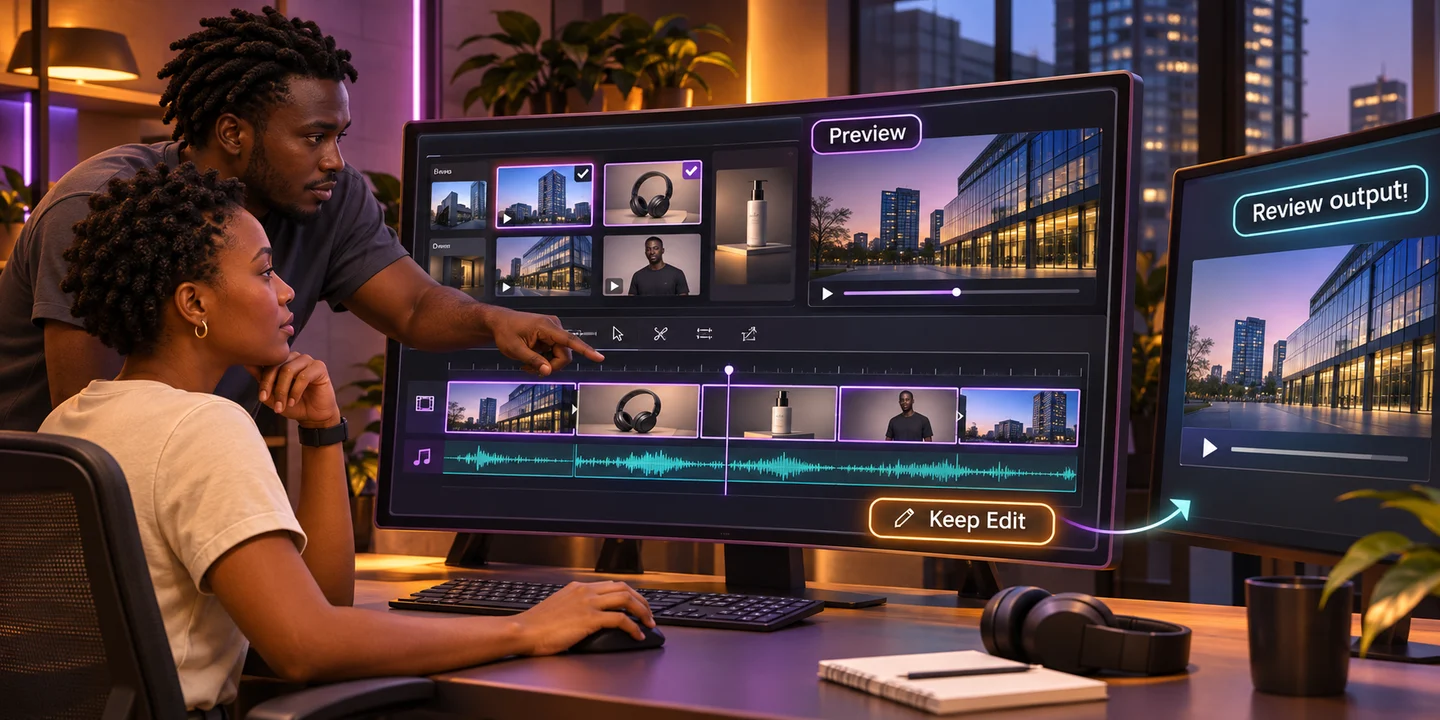
Trailer to project: preview, keep an editable cut and review the rendered result separately.
The lesson is in the handoffs
Darkroom taught me to design the transitions between creative modes as carefully as the modes themselves. A catalog row becomes a selected asset. A photograph becomes a document. A trailer preview becomes a project. A project becomes a render request and, eventually, an artifact to inspect.
That is the strength I wanted to express here: connecting several media disciplines through practical workflows while keeping their technical boundaries legible. The creator should be able to stay interested in the work without having to guess which state the application has preserved.
This variant differs from the theme-aware animated mark.
Open the folder with a purpose
MMMedia Darkroom gives a mixed shoot several useful next steps: find and rate the good material, shape a photograph, explore a short sequence and keep the cut that deserves more work. It connects those choices without requiring an unexpected rearrangement of the source folder.
Building it brought my media interests together around continuity. Curation only becomes valuable when the next mode can use the decision; a preview only becomes useful when I can keep editing it.
The microwave filenames can remain a minor mystery. The good material no longer has to hide behind them.
Back to the story’s beginning ↑
Project details
A local media catalogue with folder scanning, non-destructive still-image development, trailer sequencing, editable projects and FFmpeg export.
Part of the MMMedia family. Related versions and implementations have their own entries.
Design and technical decisions
Folder scanning and curation feed non-destructive still-image development and trailer sequencing. Editable local projects can export through FFmpeg without treating source files as disposable.
Inside the workflow
A local media catalogue with folder scanning, non-destructive still-image development, trailer sequencing, editable projects and FFmpeg export.
Related work
Have something in mind?
Bring the problem, the audience and what you want to make possible.
Discuss your project